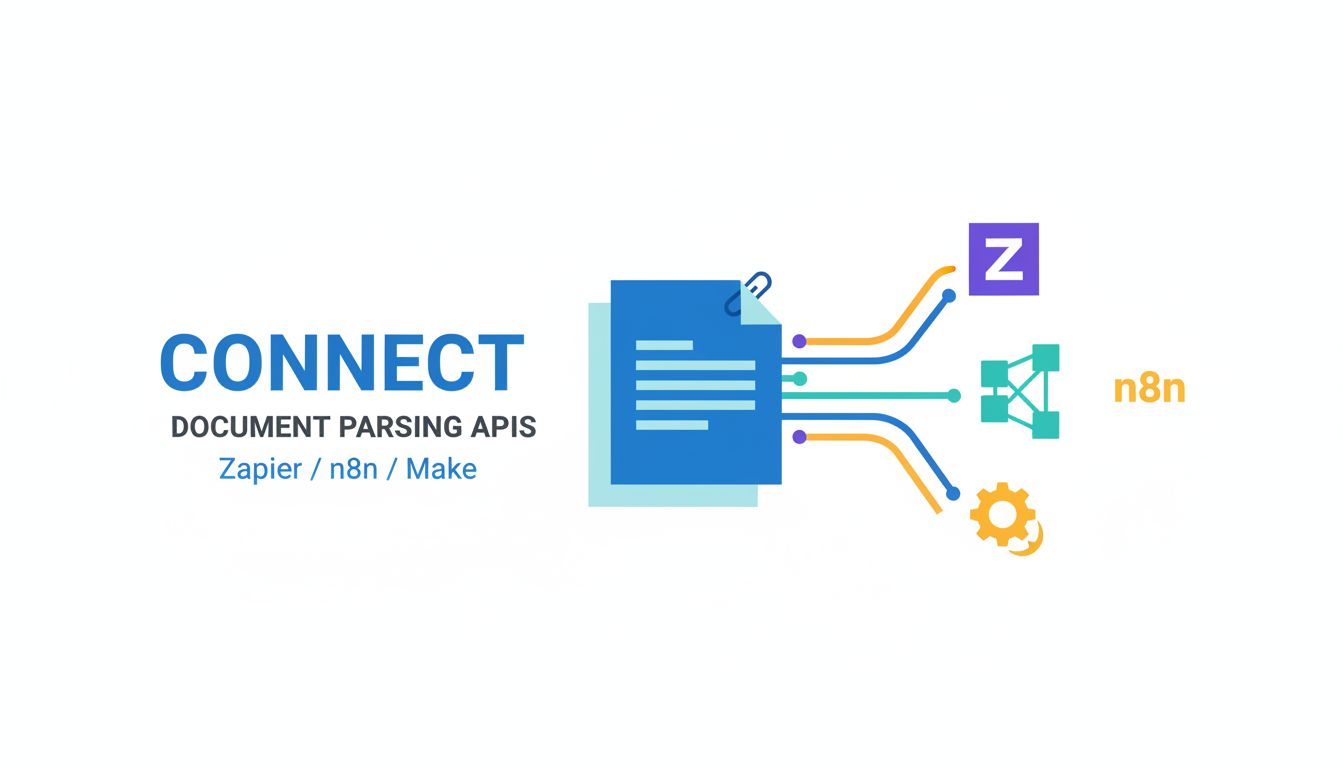
If you are trying to connect a document parsing API to Zapier, n8n, or Make, you are probably already tired of babysitting PDFs.
You know the drill. Someone uploads a PDF, or emails an invoice, or signs a contract. Then everything stalls while a human opens the file, finds the right numbers, and copies them into your CRM, ERP, or whatever tool is supposed to be the “single source of truth.”
You do not need more humans squinting at PDFs. You need your automations to understand documents.
That is the whole point of connecting a document parsing API to Zapier, n8n, and Make. Tools like PDF Vector let your automations read, not just react.
Let’s make that practical.
Why connect document parsing to your automations at all?
The limits of manual data entry and basic OCR
Manual data entry is not just slow. It is structurally fragile.
Things break when:
- Someone mistypes an amount.
- A key field is missing and nobody notices.
- The one person who “knows how to read Vendor X’s invoices” is on vacation.
You can throw basic OCR at the problem, but OCR alone just turns images into text. It does not understand that “Total Due” is a field that belongs to “Invoice 4938” from “ACME Ltd” with a due date next Tuesday.
So you end up with:
- A blob of text that still needs a human to interpret.
- Regex spaghetti in your automations that works until it absolutely does not.
- A maintenance nightmare any time the document layout changes.
Basic OCR solves “can I read the pixels.” Document parsing solves “can I extract structured data that my automation can trust.”
What changes when parsing is part of your workflow, not a side task
Once parsing moves inside your workflow, everything else gets simpler.
Imagine this flow:
- A customer uploads an onboarding form to a portal.
- Your automation sends it to a parsing API like PDF Vector.
- Parsed data comes back as clean JSON.
- Your automation branches. High‑value leads trigger one path, low‑value another. Missing data creates a task, not a silent failure.
Nobody ever “goes to check the PDF.” The document is just another data source.
The big mental shift is this. You are not automating “send PDFs here, humans fix later.” You are building flows where PDFs are first‑class inputs, with confidence scores, routing rules, and fallbacks.
That is where document parsing starts to feel like infrastructure, not a nice‑to‑have script.
What should you look for in a document parsing API?
Not all parsing APIs are built for real‑world automation. Some are lab demos that fall over the moment they see a weird invoice layout.
Core capabilities that matter for real‑world documents
For actual production use, you want a parser that handles:
- Structured output. JSON with clear field names, not inline text you have to scrape again.
- Layout robustness. Works across varying formats, not just a single template.
- Tables and line items. Invoices, purchase orders, statements, all have line items. If the API treats them as random text, you will be hand‑coding extraction forever.
- Confidence scores. You want per‑field or per‑document confidence so your automation can decide when to trust the result or send to review.
- File variety. PDFs, scans, multi‑page docs, maybe images. In the real world you do not control what your suppliers send.
For something like PDF Vector, the idea is: you feed a document, you get back a consistent schema that is usable in Zapier, n8n, or Make right away. Little or no regex. Minimal glue code.
[!TIP] A simple test: can you go from “upload document” to “reliably create a record in your system” without custom parsing logic for each layout? If not, the API will not scale.
Pricing, rate limits, and reliability questions to ask vendors
Your workflow lives or dies on three boring but crucial dimensions: cost, limits, and uptime.
Here is a quick lens:
| Dimension | What to ask | Why it matters |
|---|---|---|
| Pricing model | Per page, per document, per API call, tiered? | Affects cost curves as you scale and batch documents |
| Rate limits | Requests per minute/hour, burst limits | Impacts bulk processing and catch‑up jobs |
| Latency | Typical parse time per document | Determines whether sync flows feel instant or laggy |
| Uptime / SLAs | Historical uptime, formal SLA, status page | Predictability for business‑critical workflows |
| Overages | What happens when you exceed plan limits | Spikes from backlogs or end‑of‑month invoices will happen |
When you connect document parsing into automations, rate limits and overages are not theoretical.
Zapier and Make do not enjoy “my API vendor throttled us” as an excuse. Backlogs turn into late payments, missed SLAs, and customer complaints.
Security and compliance checks for sensitive documents
Documents often contain the worst possible mix of data. Names, addresses, bank details, pricing, signatures.
If you are sending that through an external API, security is not optional.
Look for:
- Encryption. TLS in transit, encrypted at rest.
- Data residency options. If you are in the EU, “we store everything in the US” may be a deal breaker.
- Retention policy. How long are documents and parsed data kept? Can you enforce deletion?
- Access controls. API keys, role‑based access, audit logs.
- Compliance. SOC 2, ISO 27001, GDPR commitments. You do not need buzzwords, you need proof.
For example, when you evaluate something like PDF Vector, you want to know: If I send a thousand invoices through this, where exactly are they, who can see them, and when are they gone?
That clarity matters more than one extra accuracy point in a benchmark.
Choosing where to run the automation: Zapier vs n8n vs Make
You probably already have a preferred tool. But document parsing has some quirks that can make one platform a better fit than another, depending on the flow.
How each platform handles webhooks and API calls
Document parsing is usually an API‑heavy workflow. You accept a file, upload it, poll or wait for results, then branch.
Here is how the big three generally feel:
| Platform | Webhooks | API calls / HTTP integrations | When it shines |
|---|---|---|---|
| Zapier | Easy to set up, low friction | Built‑in “Webhooks by Zapier”, solid but opinionated | Simple flows, business tools, non‑technical teams |
| n8n | Very flexible | Native HTTP node, good for complex auth and custom logic | Developers, self‑hosting, intricate flows |
| Make | Visual but powerful | HTTP modules with mapping UI, good for multi‑step APIs | When you want visual control of data going in/out |
For a typical “connect document parsing API to Zapier n8n make” scenario, the pattern is similar. Webhook or trigger receives a file. An HTTP action sends it to the parsing API. Another step waits for or retrieves the result.
The subtle differences are about:
- How easy it is to map fields.
- Whether you can handle async callbacks elegantly.
- How painful pagination or batching is.
Zapier is friendliest for basic flows. n8n and Make give you more control for high‑volume or complex routing.
Error handling, retries, and logging compared side by side
This is where many document workflows quietly die.
APIs time out. Files are corrupted. Vendors change layouts and parsing confidence drops. If your platform treats these as one‑line errors in a log somewhere, you will have silent data corruption.
Rough comparison:
| Platform | Error handling style | Retries / recovery | Logging depth |
|---|---|---|---|
| Zapier | Per‑step errors, “Zap stopped” notifications | Auto‑retries on some errors, manual replay | Activity logs, but limited deep debug |
| n8n | Per‑node error branches, try/catch constructs | Fine‑grained retries and fallback paths | Detailed execution logs, self‑host logs |
| Make | Per‑module error handlers and routes | You can design dedicated error scenarios | Good visual history and payload views |
For document parsing, you want:
- Automatic retries for transient API issues.
- Clear paths for “low confidence parse” vs “hard failure.”
- Logs that show both the original file reference and the parsed result.
If you plan to scale, the ability to build structured error paths in n8n or Make is worth the added complexity.
When to mix tools instead of standardizing on one
You do not have to be monogamous with your automation platform.
A pragmatic pattern looks like this:
Use Zapier for lightweight business automations around the parsed data. Example: When PDF Vector extracts “contract signed date,” create a deal in your CRM.
Use n8n or Make as the backbone for heavier document logic. Example: Orchestrate multi‑step parsing, retries, enrichment, and data syncing.
In practice, that can mean:
- A webhook in Zapier calls a Make scenario that handles the parsing and returns clean data.
- n8n does the parsing and validation, then triggers multiple Zaps to update downstream tools.
[!NOTE] Centralize the parsing logic. It is cheaper to change one Make scenario or n8n workflow than five separate Zaps all trying to parse invoices differently.
How to actually connect a parsing API to your workflows
Now the part you really care about. What does the integration pattern look like in real life?
The common integration pattern: upload, parse, route
Regardless of platform or parsing vendor, the backbone looks like this:
Capture the document Trigger from email, form upload, storage folder, or app event.
Send to parsing API Use an HTTP module or native connector to call the API. Typically:
- Upload file or pass a file URL.
- Specify which model or parsing template to use.
- Optionally include metadata like customer ID.
Wait for result Either:
- Synchronous response with parsed JSON, or
- Asynchronous callback / polling to get results when ready.
Route based on parsed data Branch on:
- Document type or vendor.
- Numeric thresholds, like total amount.
- Confidence scores.
Push into systems Create or update records in your CRM, ERP, accounting, or task manager.
If your parsing API is something like PDF Vector, the heavy lift is in steps 2 and 3. Everything else is your usual automation work.
Sample setups: invoices, contracts, and intake forms
Let’s ground this in three concrete flows.
1. Invoices into accounting
- Trigger: New email in “Invoices” inbox.
- Step 1: Zapier or Make saves attachment to cloud storage.
- Step 2: HTTP step sends the file to the parsing API (for example PDF Vector’s invoice model).
- Step 3: Parsed JSON includes supplier, invoice number, due date, line items, total, and currency.
- Step 4: Automation branches:
- If supplier is new, create a vendor record.
- If total exceeds a threshold, create an approval task.
- Step 5: Create a bill in your accounting system.
Result: No human ever retypes totals or due dates, but humans still approve large invoices.
2. Contracts into CRM
- Trigger: Signed contract lands in a “Closed deals” folder.
- Step 1: n8n sends the PDF to the parsing API for contract metadata.
- Step 2: Parser extracts client name, start date, end date, renewal terms, and key commercial values.
- Step 3: Workflow:
- Updates the deal in your CRM.
- Creates a renewal reminder based on end date.
- Posts a message to your team chat with the summary.
The key shift here is that renewals and revenue tracking are driven by data extracted from the actual contract, not manual entry.
3. Intake forms into a ticketing system
- Trigger: A customer uploads a filled PDF form to your portal.
- Step 1: Make scenario sends it to the parsing API.
- Step 2: Parsed fields map to: name, contact info, problem category, urgency.
- Step 3: Scenario:
- Creates a ticket in your support tool.
- Assigns priority based on urgency and category.
- Sends an acknowledgment email with a case ID.
This is where tools like PDF Vector shine. You are not just parsing fixed forms. You can handle variations in layout without rebuilding the whole flow.
Designing fallbacks for low‑confidence or failed parses
Smart teams assume the parser will get things wrong sometimes.
You want two separate tracks:
- Technical failures. Timeouts, 500s, file too large.
- Semantic issues. Parser returns data, but confidence is low.
For technical failures:
- Implement retries with backoff.
- Route into an “exceptions” queue if still failing after N attempts.
For semantic issues:
- Use field‑level confidence scores if available.
- If any key field is below a threshold, send to a human review step:
- Create a task with a link to the original PDF.
- Include the attempted parsed data as a starting point.
- Let the human confirm or correct, then feed that back.
[!IMPORTANT] A good document workflow is not one that never fails. It is one where failures are visible, routed, and learnable.
Avoiding hidden maintenance costs as you scale
The real cost of document automation is rarely the first integration. It is the slow drift and quiet breakage over time.
Keeping mappings and field names from drifting over time
You might start with a clean mapping. “invoice_number” goes here, “due_date” goes there. Six months later, you have:
- “inv_num” in one Make scenario.
- “invoiceNo” in another Zap.
- A third flow that assumes a different date format.
To avoid this:
- Define a canonical schema for each document type. Example: For invoices, explicitly list fields and their names.
- Keep all mappings in one place, preferably the central parsing workflow.
- In downstream automations, map from that canonical schema only.
If you use PDF Vector or a similar API, align your internal schema with the parser’s field names where possible. Reducing translation layers reduces drift.
Monitoring accuracy and spotting when models need retraining
Parsing quality degrades quietly. Maybe a few vendors change templates. Maybe you add a region with different formats.
If you never look, you will not notice until a big reconciliation headache lands on your desk.
Minimal but effective monitoring looks like:
- Track the number of:
- Failed parses.
- Low‑confidence parses.
- Human overrides or corrections.
- Sample documents periodically and compare:
- Parsed totals vs system of record totals.
- Field accuracy for high‑impact fields, like due dates or totals.
When those metrics move, you have three options:
- Adjust thresholds or routing rules.
- Add vendor‑specific logic for problematic cases.
- Talk to your parsing vendor about retraining or configuration changes.
The key is that you treat the parser as an evolving component, not a fire‑and‑forget script.
A simple checklist before you roll out a new document flow
Here is a compact checklist you can actually use.
Before you go live with a new document workflow:
Define the target schema
- List the exact fields you need.
- Decide on names, data types, and formats.
Test across messy samples
- At least 20 to 50 real documents.
- Include edge cases, blurry scans, weird layouts.
Set confidence thresholds
- What is “trusted automation” versus “needs review.”
- Decide per field, not only per document.
Design exception handling
- Technical failures routed to one queue.
- Low‑confidence parses routed to another.
- Clear owner for each.
Document mapping and flows
- Record which workflow owns parsing logic.
- Note where data lands in each system.
Plan monitoring
- Decide which metrics you will track.
- Schedule when to review them, even if it is just monthly.
If your parsing API and automation stack, say PDF Vector plus n8n, can support this checklist without heroic effort, you are in good shape.
Where to go from here
If you are already building automations in Zapier, n8n, or Make, you are one decision away from turning PDFs from bottlenecks into inputs.
Start small. Pick one document type that hurts the most. Invoices, contracts, or intake forms are usually low‑hanging fruit.
Wire up the basic pattern. Upload. Parse. Route. Add confidence thresholds and exception handling. Then watch how quickly “should we automate this” turns into “which document type is next.”
And if you want a parsing API that is built with this kind of workflow in mind, not just as a demo UI, tools like PDF Vector are worth a look. They make the “connect document parsing API to Zapier n8n Make” task feel less like hacking and more like design.
Your automations are already good at reacting. Give them eyes.