If your AI demo felt magical, then your first real customer probably broke it.
The answers got slower. Some PDFs failed silently. Permissions went weird. Suddenly your "simple" prototype needed a unified document ingestion pipeline, and you realized half your stack was duct tape.
You are not alone.
Why a unified document ingestion pipeline matters now
From cool demo to production bottleneck
Most AI document apps start the same way.
You point a script at a handful of PDFs, call an embedding API, toss vectors into a database, and wire up a chat UI. It works. Investors nod. Users say "wow."
Then reality shows up.
A sales team wants to ingest 50k contracts from Google Drive and Box. A research team shows up with SharePoint, HTML exports, and massive image-based PDFs. Legal wants audit logs. Security wants permission checks. Everyone wants it to "just work."
The core model is not your bottleneck anymore. The slow, painful part is getting documents from "where they live" into a shape your AI can actually use, reliably, across every source.
That messy middle is ingestion.
If you do not treat it as a first-class system, it will quietly become the most fragile, expensive part of your product.
What breaks when ingestion is an afterthought
When ingestion is scattered across scripts and one-off jobs, a few things tend to happen.
You get random failures that no one notices until a customer asks why yesterday's uploads are missing. A single API hiccup, rate limit, or format edge case, and ten thousand documents never make it into your index.
You get subtly wrong data. A PDF is scanned, OCR fails, and instead of raising a flag, you embed garbage text. Your search looks "fine" in tests, but in production the most important documents are effectively invisible.
You get security holes by accident. A permissions model baked into Google Drive or SharePoint never makes it into your vector store. Suddenly someone can query embeddings for documents they should not even know exist.
None of this feels like a big deal during the demo stage. But once real users rely on your system, ingestion is not just plumbing. It is product.
The hidden cost of ad‑hoc scripts and glue code
Most teams do not start with a unified ingestion pipeline. They start with what is available.
A cron job here. A Next.js API route there. A cloud function someone copy pasted from a blog post.
It feels fast. Until it is not.
Operational drag: retries, rate limits, and silent failures
Imagine you are crawling a customer's Confluence space. You use their API, loop through pages, embed content, and write to your index. Works great for a single space with 200 pages.
Now scale that to 100k pages across 40 spaces.
You hit rate limits. The script crashes halfway. Half the pages never get processed. Your logs are a mess. You are not even sure which documents made it and which did not.
Suddenly you are doing all the boring but critical work that proper systems do.
- Backoff and retry with respect for upstream APIs
- Idempotent writes so reruns do not duplicate data
- Checkpointing progress so you can resume where you left off
- Handling large files without running out of memory
- Ensuring one bad document does not kill the whole job
If each connector, script, or experiment handles this on its own, your team is solving the same operational problems over and over.
[!NOTE] Every ingestion source will eventually need retries, backoff, and failure isolation. You can either build that once or rediscover it a dozen times.
The real cost is not the initial script. It is the unplanned work every time something fails in production and you have no shared machinery to lean on.
Product drag: inconsistent chunks, metadata, and permissions
Operational pain is visible. Product pain is sneakier.
If each engineer slices, embeds, and tags documents their own way, your system becomes a Frankenstein of slightly different behaviors.
Here is what that looks like in practice.
- Marketing site pages are chunked by paragraph.
- PDFs are chunked by fixed token count.
- Support docs use headings as chunk boundaries.
- Only some pipelines attach "source URL" or "last updated" metadata.
You try to tune retrieval quality and nothing is consistent. A query feels great on one corpus, terrible on another, and you cannot tell if it is RAG configuration or ingestion weirdness.
Permissions are even worse.
One pipeline stores ACLs as a JSON blob. Another stores user IDs directly in the vector store. A third just drops permissions entirely and relies on app level checks.
Then you introduce team based access, or document sharing, or customer specific isolation. You now have three different ways to interpret "who can see this chunk" and no unified story.
At that point, your ingestion is actively limiting what your product can do.
What a unified document ingestion pipeline actually looks like
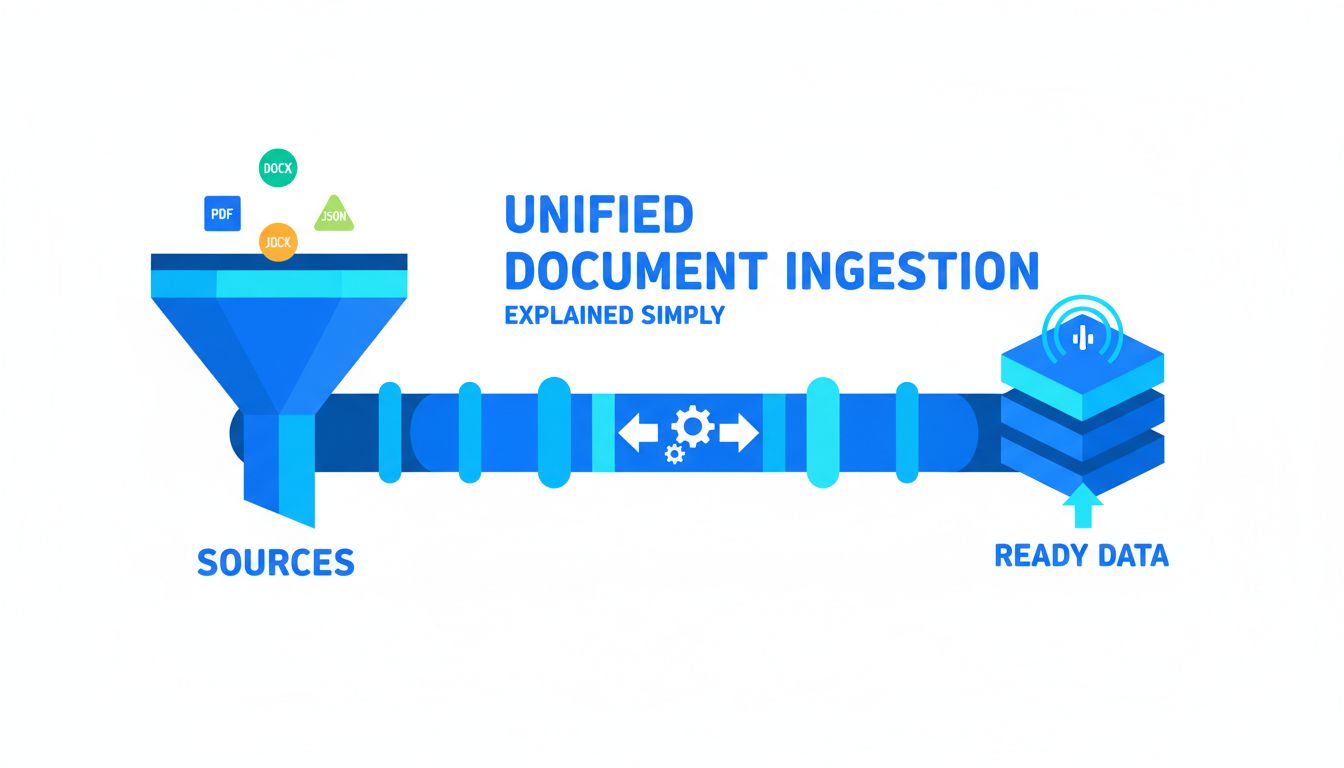
A "unified document ingestion pipeline" sounds grand. It is not magic. It is just a clear set of stages, with consistent contracts between them.
You stop thinking in terms of "my Google Drive script" and "my PDF uploader" and start thinking in terms of documents moving through a shared system.
Core stages: capture, normalize, enrich, index
You can name the stages however you like. A useful mental model looks like this:
| Stage | Question it answers | Example responsibilities |
|---|---|---|
| Capture | Where did this come from and how do I fetch it? | Connectors, webhooks, crawlers, file uploads |
| Normalize | What is the clean, canonical representation? | Text extraction, OCR, cleaning, deduplication, structure |
| Enrich | What extra context do we want to attach? | Chunking, metadata, permissions, embeddings, labels |
| Index | Where does this live so we can use it fast? | Vector DB, full text search, caches, feature stores |
Capture is responsible for talking to the messy world. APIs, rate limits, webhooks, user uploads, OAuth, and so on. Its only job is to get raw content and some basic identifiers into your system.
Normalize gives you a unified view of that content. For PDF, HTML, DOCX, email, you want everything to end up as something like:
- Plain text or structured text blocks
- Basic structure hints (headings, lists, tables)
- A stable document ID and version
This is where tools like PDF Vector can be worth using. They treat every weird edge case of PDFs, scanned docs, and layout quirks as a first class problem, so you do not have to maintain your own extraction and layout logic forever.
Enrich is where your AI specific logic comes in.
- How do you chunk?
- What metadata do you attach?
- How do you encode permissions?
- When do you embed, and with what model?
- Do you classify or tag documents automatically?
This should be consistent across sources. That way, a chunk from Google Drive and a chunk from an S3 PDF feel the same to your retrieval system.
Index is where you commit to "this is now queryable."
Maybe you store embeddings in a vector DB, but also store full text and metadata in a search index, and keep raw documents in object storage for audits. The important part is that everything above this layer can assume a single way of asking "give me relevant chunks for this query, for this user."
[!TIP] If your app has to know which source a document came from to retrieve it correctly, your ingestion is not truly unified yet.
Designing for many sources without rewriting everything
The trick is to give each source a thin, well defined adapter into the shared pipeline.
Think "connector that does capture plus minimal mapping" instead of "pipeline per source."
For example, every ingestion job, regardless of source, might have to emit documents in this shape into a message queue:
{
  "document_id": "global-uuid",
  "source": "google_drive",
  "source_id": "gd-file-123",
  "tenant_id": "acme-inc",
  "mime_type": "application/pdf",
  "raw_location": "s3://raw-bucket/...",
  "ingest_reason": "initial"
}
Your normalize stage does not care whether that came from Google Drive or an S3 upload. It just knows how to fetch raw_location, extract content, and emit a canonical document.
Your enrich stage does not care either. It sees text, metadata, and permissions. It runs your standard chunking, embedding, tagging, and permission encoding.
New source? You only touch capture and maybe a small mapping layer. The rest of the pipeline stays the same.
This is where many teams wish they had not baked "how to chunk a PDF" directly into their Google Drive connector.
Practical design choices for developers and founders
Once you see ingestion as a pipeline, you face the founder classic. What do we build, what do we buy, and what do we glue together from existing pieces?
There is no universal answer, but there are patterns.
Build vs buy vs assemble: where engineering time pays off
Here is a simple lens.
| Area | Build fully | Buy / use a service | Assemble / leverage infra |
|---|---|---|---|
| Connectors to common SaaS | Rarely | Often | Sometimes |
| PDF / doc text extraction | Rarely | Often | Sometimes |
| Chunking & metadata schema | Often | Rarely | Sometimes |
| Permissions model | Often | Rarely | Sometimes |
| Queues, retries, scheduling | Rarely | Rarely | Often |
| Embedding & indexing | Sometimes | Often | Often |
You probably want to own:
- Your chunking strategy, because it affects quality and UX directly.
- Your metadata model, because it encodes how your product thinks about documents, tenants, and users.
- Your permissions model, because that is core to trust and security.
You probably do not want to own, long term:
- Low level PDF parsing, especially for gnarly edge cases.
- Every SaaS connector under the sun, each with its own rate limits and auth flows.
- Plumbing like distributed queues and job orchestration. Cloud providers and open source tools are good at this now.
This is where something like PDF Vector is useful. It is boring on purpose. It gives you consistent, battle tested normalization of documents that you can plug into your own enriched pipeline, instead of reinventing extraction every quarter.
The mental model: own the parts that express your product's opinion, outsource the parts that are undifferentiated engineering work but painful to maintain.
Making ingestion observable: logs, metrics, and dead‑letter queues
If you cannot see your ingestion pipeline, you do not have one. You have vibes.
You want to be able to answer questions like:
- How many documents did we ingest for Acme in the last 24 hours?
- How many failed, and at which stage?
- Are any sources consistently flaky?
- Are we falling behind on a backlog?
This does not require a massive observability overhaul. A few basics go a long way.
- Structured logs with document IDs, tenant IDs, and stage names.
- Counters and gauges: docs processed per stage, error rates, queue depth.
- Latency metrics: time from capture to index. Per tenant is even better.
- Dead letter queues: if a job fails N times, move it to a DLQ instead of retrying forever, and alert.
[!IMPORTANT] Silent ingestion failures are worse than visible downtime. They erode trust because they look like "the AI is wrong" instead of "the system is down."
The goal is not perfection. The goal is that when a founder asks "Did we ingest everything Acme uploaded yesterday?" you can answer with a number, not a shrug.
Thinking beyond v1: keeping your pipeline adaptable
V1 is usually about "make it work at all." V2 and beyond are about "we are glad we did not hardcode everything."
AI systems live in a changing landscape. New models, new formats, new rules.
Your ingestion pipeline can be either brittle or ready.
Preparing for new models, formats, and privacy rules
Tomorrow you might want to:
- Switch embedding models.
- Add a separate index for reasoning heavy queries.
- Store extra metadata for billing, analytics, or personalization.
- Respect new data residency requirements or privacy policies.
- Remove data on user request, properly and verifiably.
If your ingestion logic is scattered across five repos and twenty scripts, each decision hurts.
A few simple design moves keep you flexible.
- Central chunking logic. One service or library that everything calls. So "how do we chunk?" is changed in one place.
- Explicit schemas. Define schemas for normalized documents, enriched chunks, and index records. Use migrations when they change.
- Versioning. Keep track of which embedding model and chunking strategy was used per document version. Then you can reindex incrementally.
- Separation of concerns. Let capture and normalize be oblivious to which model you use. Let enrich decide how to embed based on config, not hardcoded keys.
On privacy and compliance, your pipeline should have clear answers to:
- How do we delete all data for a tenant or user?
- How do we exclude certain fields from embedding or external APIs?
- Where do raw documents live, and who can access them?
This is much easier if ingestion is unified. Instead of hunting down every place that calls an embedding API, you update one enrichment stage.
A simple checklist to pressure‑test your current approach
If you already have something working, you do not need to throw it away. But it is worth stress testing what you have.
Use this as a quick self audit.
| Question | If "no", you have tech debt to watch |
|---|---|
| Do all sources eventually flow through the same normalize and enrich logic? | |
| Can you reingest a single document idempotently without hurting production? | |
| Can you answer "how many docs failed yesterday and why?" in under 5 minutes? | |
| Are chunking rules defined in one shared place, not copy pasted? | |
| Are permissions encoded consistently across all indices? | |
| Can you change the embedding model without touching capture logic? | |
| Is there a kill switch or DLQ for bad documents that keep failing? |
You do not need every box checked on day one. But if most of them are "no" and your usage is growing, ingestion will become your bottleneck.
At that point, investing in a proper unified document ingestion pipeline is not over engineering. It is how you keep shipping product features without firefighting every upload.
If you are serious about AI on top of documents, treat ingestion as part of your product, not an implementation detail.
Start by defining those core stages for your context. Capture, normalize, enrich, index. Decide what you truly need to own. Put minimal but real observability in place.
And when you hit the painful parts of parsing the thousandth weird PDF layout, or stabilizing extraction across sources, reach for tools like PDF Vector so your team can focus on the parts that make your app special.
The simplest next step: pick one source and one customer, and map how a single document flows through your current system. Everywhere it takes a weird detour or depends on tribal knowledge, you have a design opportunity.