1. The key difference in one sentence
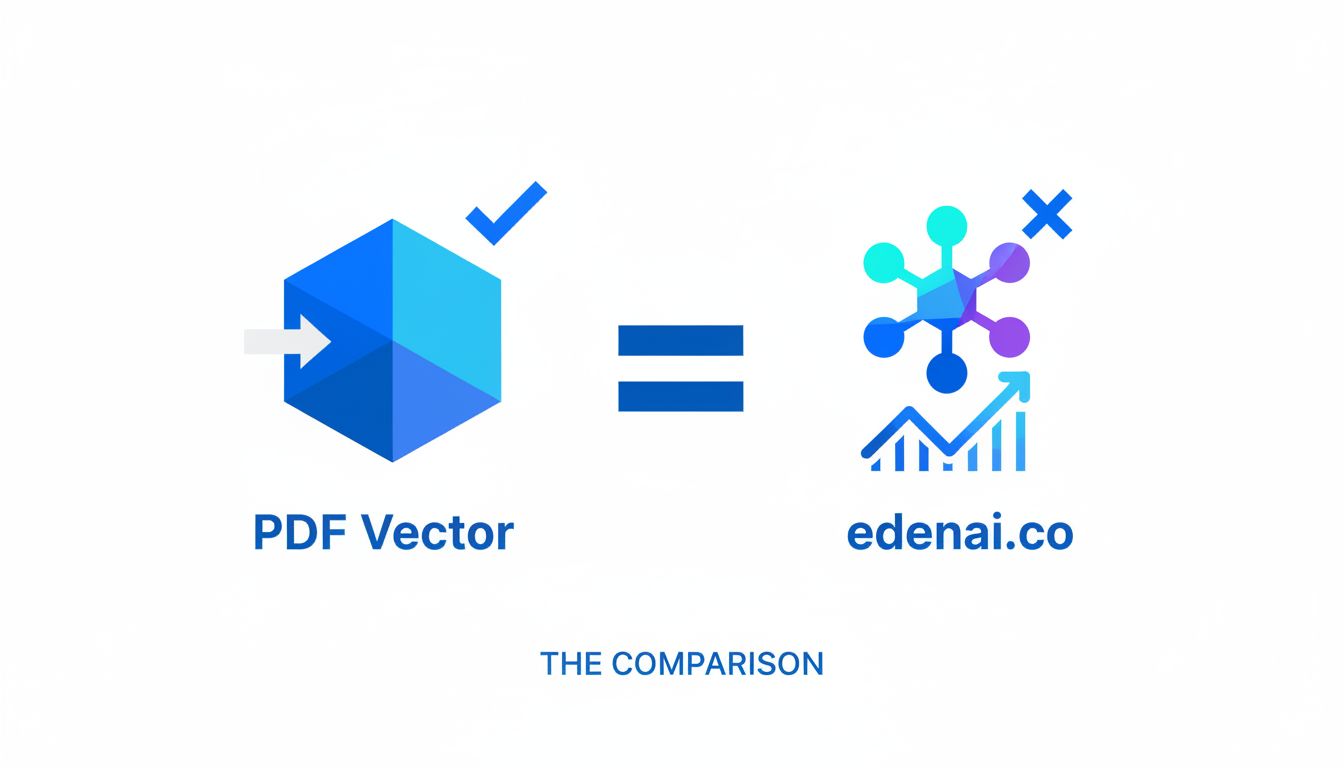
PDF Vector is a focused stack for turning documents and academic papers into structured, queryable data, while Eden AI is a broad AI aggregator that gives you one API to dozens of providers across many modalities (LLMs, vision, speech, OCR, etc.).
If your core problem is "I live in documents and research," PDF Vector is specialized. If your problem is "I need lots of different AI capabilities under one roof," Eden AI is the hub.
2. Quick comparison table
| Factor | PDF Vector | Eden AI |
|---|---|---|
| Core idea | Unified API for parsing documents + academic search + RAG on papers | Unified API that routes to many third‑party AI providers across multiple tasks |
| Sweet spot | Document‑heavy apps, research tools, enterprise document workflows | Products that need many AI features (LLM, OCR, translation, vision, speech, RAG) without managing many vendors |
| Document support | PDFs, Word, Excel, images, invoices into clean text or structured fields | OCR + document parsing via multiple providers as part of a larger catalog (docs.edenai.co) |
| Academic search | Built‑in search over 5M+ academic papers to power RAG / research features | No native academic database, but can build your own RAG with their embeddings + OCR + LLMs (docs.edenai.co) |
| RAG focus | Explicitly designed to power document‑centric and academic RAG systems | Provides generic RAG assistant and embeddings on top of many providers, more general purpose (docs.edenai.co) |
| Breadth of AI features | Mostly documents, Q&A over docs, custom field extraction, research search | Large catalog: LLMs, embeddings, OCR, translation, image, speech, video, workflows, recommendations, etc. (kdjingpai.com) |
| Vendor strategy | Opinionated stack focused on docs + research | One API to many vendors, with cost monitoring, switching, and even "bring your own provider account" (help.edenai.co) |
| No‑code options | No‑code document Q&A / extraction use cases | Workflow builder, Zapier/Make/Bubble integrations, RAG assistants, templates (kdjingpai.com) |
| Pricing style | Likely usage‑based around document parsing / search (specialized) | Pay‑per‑request by model, with credits and paid plans; you pay what providers charge, Eden AI earns via partnerships (docs.edenai.co) |
| Ideal users | Research tools, legal / finance / operations teams, any product where "documents are the product" | SaaS products, platforms, and teams who want multi‑provider AI without stitching APIs and billing together themselves |
3. Where Eden AI works well
Eden AI is a general AI infrastructure layer. Its value is breadth and flexibility, not depth in one niche.
Multi‑provider safety net
If you want access to OpenAI, Google, AWS, and other providers through a single API, Eden AI is built exactly for that. You can switch providers without rewriting your app, compare models, and avoid being tied to one vendor. (kdjingpai.com)
This is especially nice if:
- You ship globally and care where data is processed. Eden AI lets you filter providers by region so you can constrain processing to specific geographies. (help.edenai.co)
- You want redundancy. If one provider degrades or changes pricing or limits, you can route traffic to alternatives.
Lots of modalities in one place
Eden AI is a catalog. Text generation, translation, OCR, speech‑to‑text, image recognition, and more are all accessible via one API key and dashboard. (kdjingpai.com)
If you are building:
- A product that needs both chat and document OCR
- A video transcription + summarization workflow
- An app with image analysis plus text generation
then Eden AI lets you wire this up as building blocks and monitor usage centrally.
RAG as a feature, not a product
Eden AI has a RAG assistant offering that combines embeddings, LLM chat, and OCR for PDFs and audio. It is usage based: you pay for uploading and embedding content, and for the questions you ask. (docs.edenai.co)
This is good if:
- You are already using Eden AI for other things and just need "good enough" RAG.
- Your corpus is not primarily academic, but general text, support docs, internal wikis, etc.
- You value being able to swap LLM / embedding models easily more than you value a deeply tuned academic pipeline.
Good for teams that want less ops
The dashboard gives you:
- Centralized billing and cost monitoring
- API key management per project
- Request history and optional caching to cut costs
- The ability to connect your own provider accounts (BYO credentials) and still call them through the same Eden AI API. (help.edenai.co)
If you do not want to negotiate contracts with three or four AI vendors, or you want a single place to observe usage across them, Eden AI is a pragmatic choice.
Pricing and entry barrier
You can start for free with credits, then move to paid plans with included usage and higher rate limits. Under the hood, pricing is aligned with the individual providers, with Eden AI taking its cut from provider partnerships rather than marking up your unit prices. (docs.edenai.co)
That makes it appealing if:
- You are experimenting and want to try many providers cheaply.
- Finance wants to see one AI line item instead of a mess of per‑vendor bills.
Where Eden AI is weaker is precisely where PDF Vector is strongest: deep, opinionated workflows for documents and academic research.
4. Where PDF Vector pulls ahead
PDF Vector narrows the problem: "you have documents and academic papers; you want to parse them, query them, and build RAG systems on top."
That focus matters in practice.
Purpose‑built document understanding
Out of the box, PDF Vector is about:
- Parsing PDFs, Word, Excel, images, and invoices into clean text or structured data
- Extracting custom fields that matter to your workflow
- Powering question‑answering over those documents for developers and no‑code users
You are not hunting through 20 different OCR or LLM providers. The platform gives you a coherent document pipeline and an API that speaks in document concepts: pages, sections, fields, tables, invoices.
In real projects, this is the difference between "I can build my document workflow this week" and "I need to assemble OCR + layout + embeddings + LLM + my own indexing logic."
Academic search is built in, not bolted on
This is a big differentiator.
PDF Vector lets you search or fetch over 5 million academic papers from multiple research databases and integrate that into your product or RAG system.
So instead of:
- Integrating one or more paper APIs yourself
- Handling PDF downloads, cleaning, splitting, vectorizing
- Gluing it into an LLM to answer research questions
you use a single platform that already understands "academic papers" as a first class object.
This is extremely valuable if you are building:
- Literature review tools
- Features that auto‑find supporting citations
- Domain‑specific assistants in medicine, biology, economics, etc. where primary sources are papers, not blogs
Eden AI can help you build a generic RAG system, but it will not hand you a research corpus and a tuned pipeline for it.
Tight RAG story for documents
PDF Vector is explicitly marketed as a way to power RAG systems and document‑centric applications. The unified API is designed around feeding documents in, storing them with structure, and querying them with natural language.
So you get:
- Parsing tailored to common business docs (PDFs, Office files, invoices, spreadsheets)
- Field extraction that can be customized per document type
- Support for both developers and non‑technical users to ask questions about documents
If your main headache today is "We have thousands of contracts / reports / invoices and no way to query them," PDF Vector is closer to an out‑of‑the‑box solution. You would need to assemble more pieces on Eden AI to get to the same place.
Less to decide, less to maintain
With PDF Vector you are picking a stack, not a meta‑platform.
You do not choose between 5 OCR engines or 8 embedding models; you use the pipeline that the platform already tuned for document quality and consistency. For many teams, that is a feature:
- Fewer configuration knobs
- Less risk of weird inconsistencies between providers
- Easier to debug: one vendor, one log trail, one support team
If your documents are critical to the business (compliance, finance, research, legal) this kind of opinionated stack is more attractive than a "you stitch it together" toolbox.
5. Real scenarios: which one should you choose?
Here are some grounded situations where the choice becomes clearer.
Choose Eden AI if…
You are building a general AI‑powered product, not a doc product
Example: a support platform that does ticket classification, response drafting, and call transcription.
You need LLMs, translation, sentiment, speech‑to‑text, maybe some OCR. Eden AI gives you one API and dashboard to handle all of that, with the option to switch providers over time.
Vendor optionality is a must‑have
Example: a SaaS platform that will sell into regulated or cost‑sensitive enterprises.
You want:
- To route EU customers to EU data centers
- To fail over from provider A to provider B without rewriting your backend
- To negotiate your own deals with certain providers and plug your keys into a single broker
Eden AI already supports region filters, BYO accounts, and multi‑provider switching. (help.edenai.co)
You need many AI building blocks, not one specialized workflow
Example: an automation platform that lets users chain "transcribe audio → translate → summarize → extract entities → generate reply."
Eden AI's workflow builder and broad feature catalog is a good match. You can expose these capabilities to your users without integrating a separate API for each step. (kdjingpai.com)
Cost monitoring across providers matters
Example: you run multiple AI experiments and want a single place to watch spend and enforce limits.
Eden AI centralizes billing, provides usage analytics, and lets you set budgets so you do not get surprised by a rogue experiment. (help.edenai.co)
You want to prototype fast with minimal contracts
You can start with free credits, explore multiple models, and only later worry about deep specialization or direct contracts. (learn.microsoft.com)
In all these, documents may be part of the picture, but they are not the main act. Eden AI is your Swiss army knife.
Choose PDF Vector if…
Your product is about documents
Example:
- A contract analysis tool that extracts key clauses and lets lawyers query a corpus of agreements
- An invoice processing system that normalizes fields for accounting
- A knowledge platform that ingests reports, slide decks, and spreadsheets and exposes them via search + chat
You benefit from an API that thinks in terms of "documents, pages, fields, tables, invoices" and that has already solved the gnarly bits of PDF and Office parsing.
You are building research or literature‑heavy features
Example:
- A tool for PhD students to search and summarize papers
- A clinical decision support tool that surfaces relevant studies
- Any assistant that needs to ground answers in peer‑reviewed work
PDF Vector’s access to 5M+ academic papers and its role as a research search layer makes it a better starting point than a generic aggregator with no native corpus.
You want end‑to‑end RAG over documents with minimal assembly
Example:
- You have thousands of internal PDFs and want "ask anything about them" inside your product.
- Your team is small and does not want to maintain its own indexing + embedding + LLM orchestration.
With PDF Vector you plug documents in and get structured outputs and Q&A capabilities that are already tuned for this job, instead of building that pipeline from scratch on top of Eden AI primitives.
Your stakeholders care about consistency over choice
Example:
- A risk/compliance team that hates surprises in output formatting or extraction accuracy.
PDF Vector’s opinionated stack means fewer moving pieces and more predictable behavior, which often matters more than being able to try a dozen OCR backends.
You want non‑technical teams working with documents, too
Since PDF Vector caters to both developers and no‑code users for document Q&A and custom field extraction, operations, finance, or research staff can work directly with the platform instead of going through engineering for every change.
6. The verdict
Both tools solve a similar meta‑problem: "I do not want to integrate and manage 10 different AI APIs myself."
They just pick very different battles.
- Eden AI is the right answer if your roadmap involves many AI capabilities across text, speech, images, and generic RAG, and you value provider choice, consolidated billing, and flexible workflows. It is infrastructure.
- PDF Vector is the better choice if your business is fundamentally document and research centric, especially if academic literature and structured document extraction are at the core of your product or internal processes.
If you are still unsure, a pragmatic next step:
- Map your top 3 critical use cases.
- If at least 2 of them are "do X with arbitrary documents / academic papers," start a proof of concept with PDF Vector.
- If those use cases are spread across text, speech, images, translation, and only one is doc‑centric, start with Eden AI and treat document parsing as one building block among many.
You can always layer Eden AI later if you outgrow PDF Vector's scope and need more modalities, or conversely, adopt PDF Vector as a specialized document engine alongside Eden AI as your general AI hub.