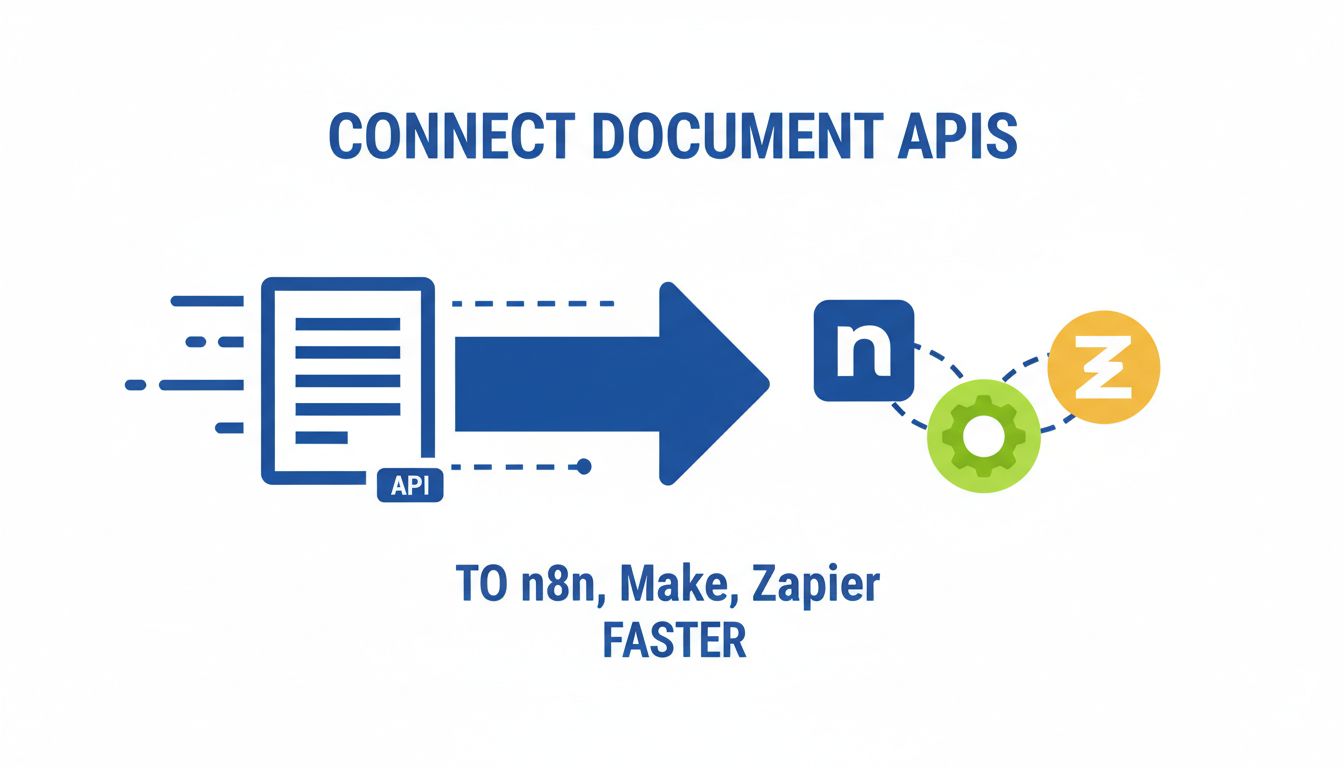
Connect Document APIs to n8n, Make, Zapier Faster
You probably did not get into automation so you could babysit PDFs.
Yet here you are. Downloading files from email. Uploading into some app. Waiting for a signature. Moving the signed version into a folder. Maybe updating a CRM if you remember.
You know there is a better way. You keep searching how to connect document API to n8n Make Zapier and end up with docs that feel written for backend engineers, not builders like you.
Let’s fix that.
This is a practical guide for no code automation builders who want document workflows that feel truly hands off, not just “less manual.”
What do we actually mean by “connect a document API”?
When people say “connect a document API,” they usually mean:
“I want my automation tool to talk directly to a document service, without me clicking anything.”
You are letting your workflow hit programmatic controls instead of just using a prebuilt integration button.
That can mean:
- Sending a PDF to be parsed.
- Generating a contract from a template.
- Searching inside documents.
- Triggering an e signature flow.
- Getting structured data back into your other tools.
You are not just moving files around. You are plugging into document intelligence.
Common document workflows no coders are automating
If any of these sound like your life, you are in the right place.
Intake and classification
Imagine a shared inbox or upload portal where:
- Invoices get tagged, parsed, and sent to accounting.
- Contracts go to legal, with key fields extracted.
- HR forms land in the right folder for each employee.
You do not care about the tech terminology. You care that it just happens, every time.
Data extraction
You have documents that are rich in data and poor in structure.
Invoices, purchase orders, W 9s, onboarding forms, KYC documents. The job is always the same. Turn messy PDFs into neat JSON or fields in your CRM, Airtable, or database.
This is where APIs like PDF Vector help. They turn static PDFs into structured, queryable content your workflows can actually reason about.
Generation and signing
Quote comes in. Proposal gets created from a template. Sent for signature. On complete, you:
- Store the signed PDF.
- Update deal status.
- Trigger onboarding.
No human should be manually assembling these once the pattern is clear.
Compliance and archiving
For finance, healthcare, or legal teams, you may need to:
- Check documents for required sections or clauses.
- Log every version.
- Store documents in specific locations with metadata.
If that is still happening via “final_v7_reallyfinal.pdf” in email, there is a lot of automation headroom.
API basics in plain language: endpoints, auth, webhooks
You do not need to be a developer to connect to an API from n8n, Make, or Zapier. You just need a few concepts straight.
Endpoints
Think of an endpoint as a specific action door.
- “Upload PDF”
- “Extract text”
- “Search document”
- “Generate document from template”
Each endpoint is a URL plus a method such as GET (get data) or POST (send data).
In tools like n8n or Make, you use HTTP nodes to hit these endpoints.
Auth (authentication)
The API wants to know who is calling.
Most document APIs use:
- API keys. A long secret string you include in headers.
- Bearer tokens / OAuth. You get a temporary token and send it with requests.
In your automation tool, this usually lives in a “Credentials” or “Connection” block. Set it once, reuse everywhere.
Webhooks
APIs cannot always respond immediately.
For example, parsing a 200 page PDF or running semantic search across a large corpus can take time. Instead of you polling every few seconds, the API can send you a webhook when it is done.
A webhook is just the API calling back to a URL you expose in n8n, Make, or Zapier.
[!TIP] Any time a document action “takes time,” look for a webhook option. It will make your automations cheaper, faster, and more reliable than constant polling.
Why connect document APIs to n8n, Make, or Zapier at all?
You can already upload files directly to many SaaS products.
So why bother feeding everything through a document API plus an automation platform?
Because that is the difference between “nice shortcuts” and an actual system.
From manual uploads to fully hands off document flows
Here is the honest hierarchy of document automation, from weakest to strongest.
Level 1: Shared folders and human discipline
Everyone uses a naming convention. Sometimes. You occasionally run scripts or manual exports. Things mostly work until someone goes on vacation.
Level 2: Built in integrations only
Your e signature tool pushes signed files to Google Drive. Your accounting app can import invoices from email. It is better, but each tool still acts alone.
Level 3: Automation platform with basic triggers
You connect apps in Make or Zapier. “When a file hits this folder, send it there.” You chain a few steps. Great for straightforward flows.
Level 4: Automation platform plus document API
This is where it gets serious.
You stop treating PDFs as blobs. You treat them as data and events.
- Parse any PDF that arrives, regardless of source.
- Use the content to decide routing, not just file names or folder paths.
- Build flows that adapt when your stack changes, because the API stays consistent.
A document API, like PDF Vector, becomes your abstraction layer. Apps can come and go. Your workflow logic still sits on stable, structured document data.
Where off the shelf integrations fall short
Off the shelf integrations are like prefab furniture. Quick to set up. Painful when you want something specific.
Common limitations:
- Only the fields the integration designer cared about.
- No support for your custom document types.
- No way to influence how parsing or generation works.
- Hard to chain multiple document actions in one flow.
Example.
Your e signature tool might send:
- Document signed.
- Signer email.
- Date.
Useful, but what if you also need the contract value, term dates, or specific clauses extracted and synced into your CRM or billing?
Without a document API, you end up:
- Downloading the signed doc.
- Uploading to another tool.
- Manually copying key info.
- Or, more likely, not doing it at all.
[!NOTE] If your process depends on “someone checking the PDF,” that is a strong signal you want a document API in the middle of your automation.
How n8n, Make, and Zapier really compare for document APIs
Choosing the wrong platform for a document heavy workflow hurts later. Complexity creeps up. Costs creep up. Editing flows becomes a chore.
You do not need a 10 row comparison table. You need a simple mental model.
A simple framework: control, speed to ship, and maintenance
Think of each platform across three axes.
- Control. How much you can tweak low level behavior. Headers, retries, custom logic, branching, etc.
- Speed to ship. How fast you can get a V1 running, especially with generic HTTP APIs.
- Maintenance. How easy it is to debug, version, and update as your workflows grow.
Here is a helpful summary.
| Platform | Control | Speed to ship | Maintenance for complex flows | Typical sweet spot |
|---|---|---|---|---|
| n8n | High | Medium | High | Complex and sensitive document flows |
| Make | Medium | High | Medium | Visual heavy, multi app workflows |
| Zapier | Low | Very high | Low to medium | Simple, event driven document tasks |
This is not about which is “best.” It is which is best for this particular workflow.
Strengths and gaps: n8n vs Make vs Zapier for docs
n8n
Where it shines:
- Fine grained control of HTTP requests and auth.
- Strong branching, loops, and error handling.
- Self hosting for sensitive data and compliance.
- Great for pairing with flexible APIs like PDF Vector.
Where it can bite:
- Slightly steeper learning curve for non technical builders.
- Fewer polished templates for niche apps.
- You need to design your own patterns for reusability.
You choose n8n when your document workflow is core infrastructure, not just a nice add on. Especially if documents include sensitive data.
Make
Where it shines:
- Very visual scenario builder.
- Easy iteration for complex, multi step flows.
- Good mix of HTTP modules and app connectors.
- Powerful data transformers with a gentle interface.
Where it can bite:
- Scenarios with many modules can become visually dense.
- Error handling and versioning can get tricky if you are not deliberate.
- Usage based pricing can spike with very chatty APIs.
Make is a solid middle ground. More power and visibility than Zapier. Less “plumbing work” than n8n. Great when you care about clarity and speed of iteration.
Zapier
Where it shines:
- Fastest way to get from idea to working if the app is supported.
- Perfect for small, simple, event based document flows.
- Friendly interface for non technical teams.
Where it can bite:
- Limited control over low level HTTP behaviors.
- Harder to handle complex document logic, loops, or advanced branching.
- You can hit step limits or costs quickly with document heavy flows.
Zapier is ideal for lightweight document automations, like “when a contract is signed, save to this folder and ping Slack.” It is not ideal for building your entire document processing backbone.
[!IMPORTANT] If a document flow is mission critical, involves large volumes, or includes sensitive data, start your evaluation with n8n or Make before defaulting to Zapier.
A practical decision framework for your next document workflow
Instead of “Which tool is best?” ask “What am I actually building, and what does it require?”
Here is a three step way to decide, without overthinking.
Step 1: Map your sources, actions, and destinations
Grab a blank page. Write three columns.
- Sources. Where documents originate. Email, web forms, CRM, cloud storage, scanned uploads.
- Actions. What must happen to or with those documents. Parse, search, classify, enrich, generate, sign, validate.
- Destinations. Where results must go. CRMs, ERPs, Drive, S3, Slack, analytics, data warehouses.
Example.
You want to process supplier invoices.
- Sources. Email inbox, upload form, maybe an SFTP folder.
- Actions. Extract line items, validate totals, check supplier against a list, tag for approval, maybe search past invoices via a service like PDF Vector.
- Destinations. Accounting system, internal Slack channel, archive storage.
This mapping usually reveals two things quickly.
- How many apps are involved.
- How much real document intelligence you need versus simple file shuffling.
Step 2: Rate complexity, data sensitivity, and scale
For each planned workflow, give a quick rating.
- Complexity. How many branching rules, conditions, and multi step paths are involved?
- Data sensitivity. Are these contracts, IDs, financials, health data, or just marketing PDFs?
- Scale. Are we talking tens per week, hundreds per day, or thousands per hour?
You can literally mark each as Low, Medium, or High.
A rough guide:
- High complexity or high sensitivity, n8n or Make with a robust document API.
- Low complexity and low sensitivity, Zapier or Make with built in integrations might be enough.
- High scale plus high sensitivity, start thinking self hosted n8n and a document API that supports private deployments or strict data controls.
Step 3: Choose the right platform and API connection pattern
Now combine everything.
If your workflow:
- Touches many tools.
- Needs specific control over document parsing or generation.
- Must respect compliance boundaries.
You likely want:
- n8n for orchestration, self hosted if needed.
- A document API like PDF Vector as your core document brain.
- Direct HTTP node connections, plus webhooks for callbacks.
If your workflow:
- Is multi app, but you value visual clarity and iteration speed.
- Is important, but you do not have strict self hosting needs.
Then Make plus a document API via HTTP modules is a great default.
If your workflow:
- Is basically “when X happens in App A, move doc or data to App B or C.”
- Does not require advanced branching or heavy parsing.
Then Zapier plus native integrations or simple Webhooks + API calls is usually enough.
[!TIP] A solid pattern is to centralize the heavy document work in a single API, like PDF Vector, and let n8n, Make, or Zapier focus on orchestration and app connections. That separation makes later migrations much easier.
Concrete setup examples you can adapt today
Time to make this real. Here are three patterns that map directly to common use cases.
You can use any document API, but I will reference PDF Vector as a concrete example where it fits.
Example 1: Intake, parse, and route PDFs with n8n
Goal. Any PDF that comes in via email or upload is parsed, understood, and routed to the right place.
High level flow
- Trigger. New attachment in a “Docs Intake” inbox, or file uploaded via a form.
- Upload. Send the PDF to the PDF Vector API with metadata about the source.
- Parse. Request extraction of key fields or run a classification prompt.
- Branch. Based on the result, send the document into the right path.
- Store and notify. Save into storage, then notify people or systems.
Key n8n pieces
- An IMAP Email or Webhook trigger.
- An HTTP Request node to upload to the document API.
- A second HTTP Request or Webhook trigger to receive the parsed result if it is async.
- Switch or IF nodes to route based on parsed fields.
- Destination nodes, for example Google Drive, S3, Notion, Slack, or your database.
What makes n8n a good fit here is control.
You can:
- Set custom headers for auth.
- Implement retries if the API is temporarily unavailable.
- Mask or encrypt specific fields.
- Add approval steps for critical document types.
Suddenly, “someone monitors the inbox” turns into “the system sorts everything, and humans only touch edge cases.”
Example 2: Generate and e sign docs with Make
Goal. Take data from your CRM or form submissions, generate tailored documents, send for e signature, then sync the signed copy and key data back.
High level flow
- Trigger. New deal or form submission in your CRM, such as HubSpot or Pipedrive.
- Generate. Send data to PDF Vector to fill a template and generate a PDF contract.
- Send for signature. Push the generated PDF into your e signature tool, like SignWell, DocuSign, or similar.
- Wait for completion. Use a webhook or scheduled check for “signed” status.
- Sync. Store the signed doc and update CRM fields with actual signed values or timestamps.
Key Make pieces
- CRM module as trigger.
- HTTP module to call the document generation endpoint.
- Transformer modules to map CRM fields into template variables.
- App module for your e signature tool.
- Webhook or watch event module to catch “signed” status.
- Storage module (Drive, S3) and CRM update module.
Why Make fits nicely here.
- The visual canvas helps you keep track of branching, such as “if legal entity is X, use Template A, else Template B.”
- You can group modules logically and see the data flowing through.
- Non technical stakeholders can read the scenario and understand what happens.
Using an API like PDF Vector for generation means your template logic lives in one place. If you switch signature providers later, you adjust a few modules, not your whole doc generation story.
Example 3: Lightweight document automations in Zapier
Goal. Keep things in sync without turning your life into a dev project.
Think small, sharp zaps.
Scenario A. Signed contracts to storage and Slack
- Trigger. “Contract signed” event from your e signature tool.
- Fetch file. Use the app’s built in support to grab the PDF, or a Webhooks step if needed.
- Store. Save the PDF to a specific folder in Google Drive or Dropbox.
- Notify. Send a Slack message to the relevant channel with a link.
This is the sweet spot for Zapier. Few steps. Predictable structure. Clear value.
Scenario B. Document parsed once, then used many places
You might not want to wire a full document parsing workflow in Zapier, but you can still plug into a document API in simple ways.
- Trigger. A file added to a specific drive folder.
- Webhook. Send a POST to PDF Vector with a callback URL.
- Separate Zap. Triggered by webhook response, takes the parsed data and:
- Updates CRM.
- Logs to a spreadsheet.
- Sends summary to Slack.
That second Zap is tiny but mighty. Parsed data comes in. You fan it out.
[!NOTE] The more “if this then that then loop for each item” logic you need on top of parsed data, the more you should consider shifting that part to n8n or Make instead of piling it into Zapier.
Where to go from here
You do not need to become a backend engineer to build serious document workflows.
You just need:
- A clear map of sources, actions, and destinations.
- Honest ratings on complexity, sensitivity, and scale.
- A decision on whether this workflow deserves Zapier speed, Make clarity, or n8n control.
Underneath all of that, you want a document API that treats PDFs as data, not just files.
That is exactly what tools like PDF Vector are built for. Handle parsing, search, and generation through a consistent API, then let n8n, Make, or Zapier orchestrate your apps around it.
The natural next step.
Pick one document process that bothers you weekly. Map it using the framework above. Decide which platform fits. Then wire in a document API for the heavy lifting.
Ship that one workflow.
Once you feel the difference between “upload and hope” and “clean, structured document flows,” you will not want to go back.