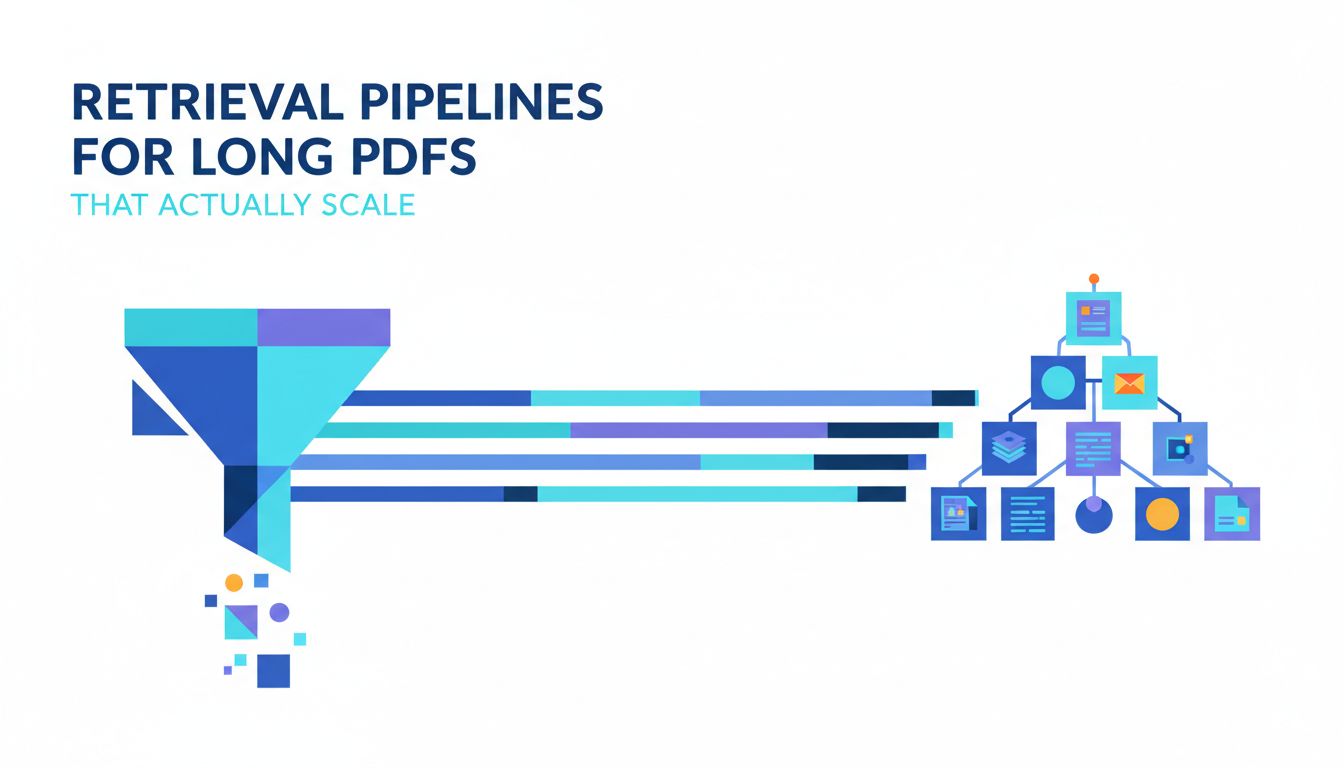
Why retrieval pipelines for long PDFs are harder than they look
Most RAG demos quietly assume a 12 page PDF and a patient user.
Then you plug in a 300 page contract library or a 800 page technical report and everything falls apart. Latency spikes. Answers get weirdly specific but wrong. Users start pasting page numbers into the chat, because they do not trust the system anymore.
A retrieval pipeline for long PDF documents is not just “RAG but bigger”. It is a different problem with different failure modes. If you treat it as a toy problem, you will ship a toy.
Let’s make sure you are not accidentally doing that.
Where naive RAG breaks down on 300 page documents
Naive RAG is usually:
- Split document into chunks.
- Embed each chunk.
- At query time, embed question, run similarity search, feed top k chunks to the model.
On a 15 page document, that can be “good enough”. On a 300 page PDF, a few things change.
First, chunk count explodes. A 300 page scan of a technical report might produce 3,000 to 10,000 chunks, depending on your strategy. That changes your latency and cost profile, and it magnifies every earlier mistake in parsing and cleaning.
Second, semantic similarity alone is not enough. Long documents have sections that share vocabulary but differ in meaning. Think “limitations,” “scope,” and “exceptions” in contracts. Or “prior work,” “approach,” and “results” in research. A pure vector index without structure will happily retrieve the wrong section that sounds right.
Third, context windows are still finite. Even with big context models, you cannot fit 80 pages of relevant material. For multi hop questions that span several sections, you need retrieval that can stage, rank, and compress evidence, not just shoot top 5 chunks into the model.
Finally, long PDFs are usually ugly. They have tables, footnotes, headers, two column layouts, scanned pages, and random text boxes. If you do not handle that at ingestion time, your retrieval will be garbage in, garbage out.
The UX risks when users stop trusting your answers
Users do not abandon AI features because they are occasionally wrong. They abandon them because they are unpredictably wrong in ways that are hard to detect.
Long PDF workflows amplify this.
Imagine your user asks:
“Does any contract in this folder include an automatic renewal clause longer than 2 years?”
Your system answers: “No, none of the contracts include an automatic renewal clause longer than 2 years.”
If that answer is wrong once, you have a product problem. If it is occasionally wrong with no visibility or explanation, you have a trust problem.
The UX failure modes:
- The model confidently answers from the wrong section.
- It misses rare but critical edge cases, like a single clause buried in an appendix.
- It keeps parroting “I cannot find that information” while the user knows it is on page 184.
Once users start double checking everything in the raw PDF, your “AI assistant” becomes a slower search box.
[!IMPORTANT] Retrieval quality is a UX feature. Not just an infra detail. If people cannot predict when to trust your answers, they will stop asking better questions.
So you need to think about your retrieval pipeline as part of the product, not just the backend.
First get the problem space clear: what are you really building?
Before you pick a vector database or tweak chunk sizes, get honest about the type of product you are building. Different product patterns stress retrieval in different ways.
There is no single best retrieval pipeline. There is only “fit for your actual workload”.
Four common AI document app patterns and how they stress retrieval differently
In practice, most “AI over documents” products fall into one of these buckets.
| Pattern | Example use case | Retrieval stress |
|---|---|---|
| Interactive Q&A | “Ask this report” chatbots | Many small queries, strict latency, moderate depth |
| Deep analysis / synthesis | Summarize a 500 page report, generate briefing docs | Fewer queries, heavy recall, multi hop reasoning |
| Monitoring / alerts | “Tell me when new filings mention X” | Lots of documents, time scoped retrieval, efficient indexing |
| Semantic search / browse | Knowledge portals, research search | High recall, ranking quality, pagination, filters |
These patterns often coexist, but usually one dominates. That dominant pattern should drive how you design your retrieval.
For example:
- Interactive Q&A is highly sensitive to latency and user patience. You will favor aggressive caching, smaller indexes, and focused retrieval.
- Deep analysis workflows care more about coverage. You can accept slower responses in exchange for richer, multi stage retrieval and more expensive models.
- Monitoring is indexing heavy. You need cheap ingestion and good metadata so downstream queries can stay efficient.
If you are not clear which of these you are really building, you will probably overbuild the wrong part of the stack.
Key questions to size your retrieval problem before writing code
Before you touch infrastructure, write down answers to a few unglamorous questions.
Document scale How many PDFs per user or per tenant. Are they 50 short documents or 5 massive ones. Are they static or changing daily.
Question complexity Are most questions local (“What does section 4 say about refunds?”) or global (“Compare the limitation of liability across all supplier contracts”)?
Latency budget Is 200 ms vs 2 seconds the difference between “feels instant” and “feels broken” for your users?
Tolerance for misses In your domain, is a missed edge case annoying or catastrophic? Legal and finance apps need different guarantees than casual knowledge browsing.
Update pattern Are documents immutable snapshots, or do users upload new versions often? This affects your indexing design and caching strategy.
[!TIP] If you cannot answer these cleanly, your first task is not “pick a vector db”. It is “define the usage patterns and constraints”, even roughly. Every good architecture flows from that.
Once you know the shape of your problem, the retrieval pipeline starts to design itself.
Inside a long PDF retrieval pipeline: from bytes to useful chunks
A good retrieval pipeline is mostly boring plumbing and careful representation. The magic is in not losing information before the model even sees it.
Parsing, cleaning, and structuring ugly real world PDFs
PDFs are not documents. They are instructions for printing pixels.
Your nice, logical “document” is an illusion you have to reconstruct.
Production grade parsing usually needs multiple passes:
Text extraction You need robust extraction that handles fonts, two column layouts, ligatures, bullet symbols, and multi language content. For scans, you need OCR, and ideally layout aware OCR.
Layout reconstruction Figure out what belongs together: headings, paragraphs, lists, tables, footnotes. Small choices here pay huge dividends later when you chunk and index.
Structure inference Detect sections, subsections, page numbers, table of contents mappings. Even an approximate hierarchy is valuable.
Cleanup Remove repeating headers and footers. Normalize whitespace. Fix weird encoding. Deduplicate repeated pages or appendices when appropriate.
Real world example: That annual report with two columns per page, footnotes at the bottom, and tables that span pages. If you naively extract line by line, you will mix columns, split sentences, and separate footnotes from their references. Your chunks will be nonsense.
This is where platforms like PDF Vector lean in. If you can start from a structured, layout aware representation of the PDF instead of raw text blobs, every later step becomes easier and more accurate.
Chunking strategies and metadata that actually help retrieval
Chunking is where many RAG pipelines die quietly.
The default “split every 1,000 tokens with 200 token overlap” is a blunt hack. It ignores document structure, user behavior, and query patterns.
For long PDFs, better chunking has three principles:
Respect document boundaries Use headings, sections, and paragraphs as atomic units. Combine them up to a size limit, but avoid splitting mid paragraph if at all possible.
Encode context explicitly A chunk from “Section 9: Termination” is not just text. It has a parent section, a document title, maybe a page range, and a role in the document. Preserve that.
Different tasks, different chunks The ideal chunk for local Q&A is not the same as for global summarization. You might create small, fine grained chunks for Q&A and larger, section level chunks for summarization or cross document comparisons.
Useful metadata to attach:
- Document level: title, date, author, type, version, tenant.
- Structural: section path (“3 > 3.2 > Limitations”), page range, table vs body text, header vs footnote.
- Quality: OCR confidence, parsing warnings, scan quality indicators.
All of this becomes filterable fields in your index. That means you can say things like “only retrieve from main body sections”, or “exclude low OCR confidence chunks unless we have no alternatives”.
[!NOTE] Good metadata is cheap recall. It lets you slice the search space before doing heavy work. It also makes failure analysis much easier when answers go wrong.
Indexing choices: vector, hybrid, or graph, and when each fits
Retrieval for long PDFs sits at the intersection of semantic similarity, lexical precision, and structure.
You usually have three levers.
Pure vector search Simple, flexible, great for semantic queries and fuzzy matches. Weak on exact terms, citations, and numeric constraints. You rely on embeddings to do everything.
Hybrid search (vector + keyword / BM25) Combine semantic vectors with token indexes. This is often the sweet spot for document apps. You get precise term matching for things like clause numbers, defined terms, and numeric values, with semantic search to handle paraphrase and context.
Graph or structured retrieval Treat the document as a graph of entities and relations. For example, section nodes, clause nodes, reference edges, cross document links. Useful when queries are about relationships like “compare this section across all NDAs where governing law is X”.
Here is a rough guide.
| Retrieval style | Best for | Tradeoffs |
|---|---|---|
| Vector only | Simple Q&A over modest corpora, exploratory questions | Easier to build. Harder to debug. Misses exact patterns and edge cases. |
| Hybrid | Most long PDF applications, especially legal, technical, compliance | Slightly more infra. Much better retrieval fidelity and recall. |
| Graph aware | Complex compliance, cross document reasoning, heavy reuse of structure | Highest complexity. Powerful if you can afford modeling the structure. |
For most teams, hybrid retrieval is the pragmatic choice. Start there unless your problem is truly tiny or truly exotic.
How to choose an architecture: a simple decision framework
At some point, you have to commit to a shape: single index or multi index. Multi stage retrieval or one shot. Centralized or tenant isolated.
You can avoid architecture religion by using a simple triangle.
Latency vs. recall vs. cost: the triangle you cannot escape
For long PDFs, you are always juggling three constraints.
Latency Time from question to answer. Users feel anything above 2 seconds in interactive flows.
Recall Probability that the truly relevant chunk(s) are in the retrieved set. Critical for correctness and trust.
Cost Both infra and LLM calls. Multi stage pipelines and bigger context windows cost real money at scale.
You cannot maximize all three at once. You have to pick which edges to favor.
A few typical positions:
“Instant answers even if occasionally shallow” Optimize latency and cost. Accept moderate recall. Fit for internal search tools, exploratory chat.
“High stakes, must be right more often than not” Optimize recall and quality. Accept higher latency and cost. Fit for legal, finance, compliance.
“Bulk processing at scale” Optimize cost and throughput. Latency per doc is less important. Fit for offline analysis and summarization.
Write this choice down. It should inform everything from how many reranking stages you run to how large your chunk set is.
Comparing three reference architectures for long PDF retrieval
Here are three reference architectures that show how this tradeoff plays out.
| Architecture | Description | Pros | Cons | Good fit for |
|---|---|---|---|---|
| Single stage hybrid | One retrieval call over a hybrid index, feed top k chunks to LLM | Simple, fast, easy to reason about | Limited recall on complex multi section queries | Lightweight Q&A, prototypes |
| Two stage: retrieve, then rerank | Broad recall with cheap retrieval, then LLM or cross encoder reranks a candidate set | Better recall and relevance, still manageable latency | More complexity, higher per query cost | Production Q&A, mixed difficulty queries |
| Multi stage with routing | Intent detection, different pipelines per query type (local, global, cross document) | Efficient for diverse workloads, can specialize by intent | Highest complexity, more moving parts | Mature products with heavy usage and varied tasks |
In practice, many teams start with single stage hybrid, then add a reranking stage once they see real queries, and finally introduce routing when they realize “local Q&A” and “compare across all docs” need different plans.
From a PDF Vector perspective, this is usually how we see customers evolve:
- Start with structured parsing and a single hybrid index per tenant.
- Add a reranker that scores top 50 chunks down to 5 or 10, based on query context.
- Introduce lightweight intent detection before retrieval, to choose between:
- Within document search.
- Cross document search.
- Metadata only filters (“show me contracts with termination earlier than X”).
A quick checklist to pressure test your current pipeline
If you already have something in production, sanity check it with this list.
- Do you preserve section hierarchy and page ranges as metadata?
- Can you filter retrieval by document type, date, or specific sections?
- Do you log which chunks were retrieved and which ones the model actually used?
- Do you have at least one backstop mechanism for low confidence answers, such as “I could not find this” with a link to a search UI?
- Have you tested with realistic long PDFs, not just synthetic short samples?
- Can you run offline evals on a small set of labeled queries?
If you answered “no” to most of these, your problem is not your vector database. It is the shape of your pipeline.
Designing for production: quality, observability, and iteration
A retrieval pipeline that looks good in a notebook can still be a nightmare in production.
The difference is not fancier models. It is observability, guardrails, and feedback loops.
Measuring retrieval quality without a full ML team
You do not need an army of data scientists to know if your retrieval is working.
You need a small, opinionated evaluation loop.
Start with:
A seed set of realistic queries Get them from real users if you have them, or invent scenarios that mirror actual workflows. Include easy, medium, and hard.
Human labeled “gold” chunks or passages For each query, mark which sections of which documents are truly relevant. These do not have to be perfect. They just have to be better than nothing.
Simple metrics
- Recall@k: Does the right chunk appear in the top k results?
- MRR or NDCG if you want to be fancy, but recall@k goes a long way.
- Latency distributions, not just averages.
Run this whenever you change your chunking, embeddings, or index configuration.
[!TIP] If you log live queries and user actions, you can gradually build a better eval set from real traffic. Start scrappy. Improve over time.
Tools like PDF Vector can also help here by providing consistent document structure, which makes defining “relevant chunks” more concrete and stable over time.
Guardrails, caching, and feedback loops that keep answers trustworthy
Even a strong retrieval pipeline will fail sometimes. Your product’s job is to fail predictably and transparently.
A few patterns that work well.
Answer with citations, not vibes Always show which passages the model used, with page and section references. Make it trivial for the user to open the source PDF at the right location.
Graceful low confidence handling If retrieval comes up weak, prefer saying “I could not find that” and offering related sections, rather than hallucinating. You can base this on retrieval scores, reranker confidence, or LLM self assessment.
Aggressive caching on stable documents Long PDFs often do not change. Cache retrieval results and even full answers for common queries. This cuts latency and cost significantly for popular reports or templates.
Feedback hooks Let users mark answers as helpful or wrong, and optionally let them highlight the correct section. Feed this back into your eval set and, if you are ambitious, into training rerankers or fine tunes.
Layered observability Log for each query:
- The raw question and metadata.
- Retrieval candidates, scores, and chosen subset.
- Model prompts and outputs.
- User actions after the answer.
This is how you move from “Our RAG feels off” to “We are missing references in appendices because our parser drops them” or “Our retrieval is fine, but our reranker overweights earlier sections”.
When your PDFs are parsed and structured consistently, as with PDF Vector’s approach, these logs become easier to interpret. You can see exactly which section paths and page ranges are over or underrepresented.
You do not need a cutting edge research team to build a retrieval pipeline for long PDF documents that actually scales.
You need to:
- Be honest about your product pattern and constraints.
- Treat parsing, chunking, and metadata as first class problems.
- Choose a retrieval architecture that matches your latency, recall, and cost priorities.
- Invest in evaluation and observability early, even if it is scrappy.
- Design your UX to expose sources and handle uncertainty gracefully.
If you are working with large, messy PDFs and want a cleaner foundation, your next step is to fix the ingestion layer. That is where tools like PDF Vector give you leverage, by turning raw PDFs into structured, retrieval friendly representations before you ever touch a vector index.
From there, the rest of the pipeline becomes a set of tractable, testable choices, not a mysterious black box of “RAG magic” that sometimes works and sometimes burns your users.