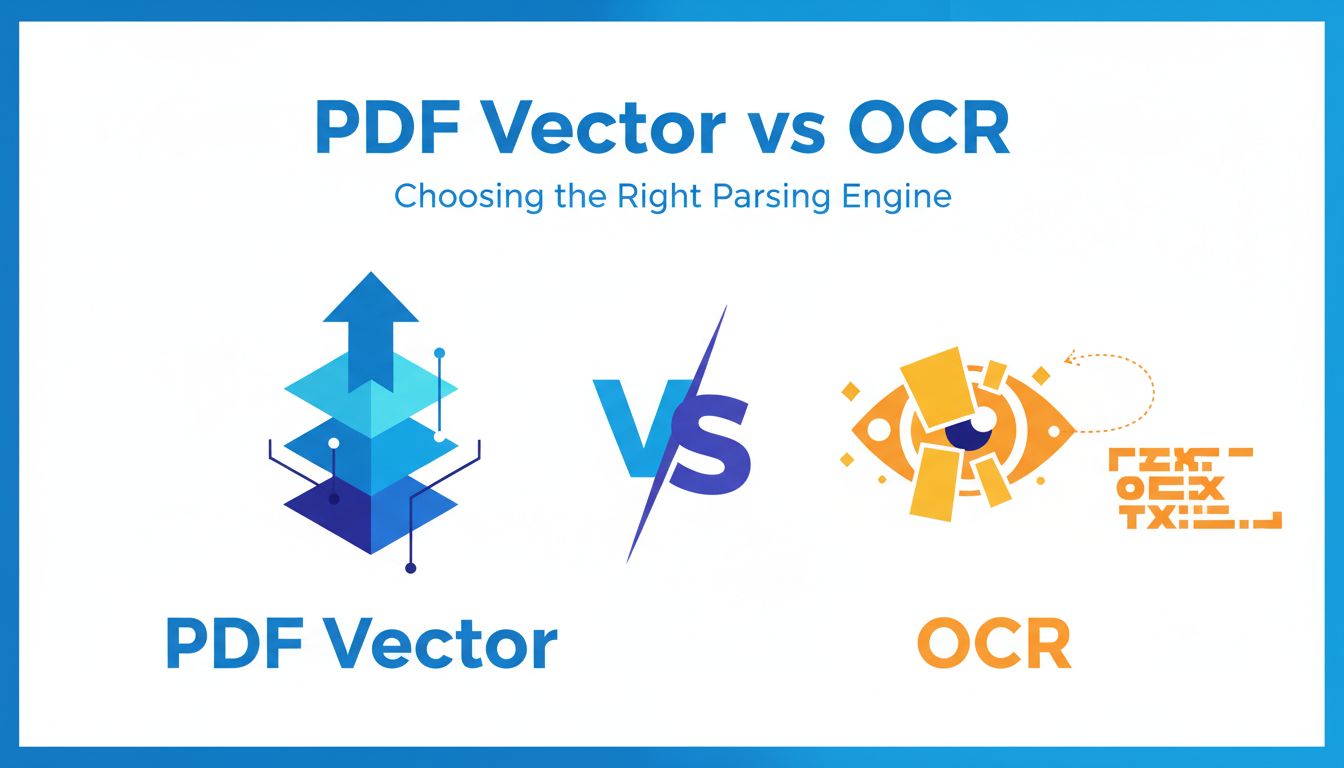
First, what do we really mean by PDF vector vs OCR?
If you treat every PDF like an image and run it through OCR, you are burning budget and accuracy for no reason.
Most business PDFs your customers upload are already digital. Contracts. Invoices. Bank statements. HR docs. Under the hood, they often contain perfectly structured text, positions, fonts, and even table coordinates. That is where vector-based extraction shines.
When people say "PDF Vector vs OCR", they are usually comparing two very different mindsets:
- Vector-based parsing: "This document has structure. Let me read it."
- OCR: "This is a picture. Let me guess what the characters are."
If your product treats those as the same thing, you will ship more bugs, pay more for infra, and frustrate users who think "but this is a normal PDF, why did it mess up?"
How vector-based extraction actually reads a PDF
A vector-based engine does not look at pixels first. It reads the PDF's internal instructions.
Imagine a PDF invoice. The PDF file says things like:
- Draw text "Total" at position (x1, y1) with font F1.
- Draw text "$1,250.00" at position (x2, y1) with font F1.
- Draw a rectangle from (xA, yA) to (xB, yB).
A proper vector parser, like PDF Vector, walks this instruction tree. It sees:
- Which characters belong together as a word.
- Which words belong to a line.
- How lines align into columns or table cells.
- What is text versus decoration.
It never has to "guess" a character. If the PDF says the character is "8", you get "8". No fuzzy threshold. No per-character confidence score. No "was that 5 or S?"
That is why vector-based extraction is:
- Much more accurate on digital PDFs.
- Dramatically faster.
- Easier to make deterministic, which matters when you need repeatable results for audits, finance, or compliance.
You can also use layout cues from the vector layer to reconstruct tables, sections, and key-value pairs without ever running a single OCR model.
When OCR is still necessary even if text is embedded
Here is the curveball. Modern PDFs can have both a vector text layer and an image layer. And the text layer is not always trustworthy.
Common real-world messes:
- A scanned contract where someone ran low-quality OCR years ago. The PDF has embedded text, but "1 year" became "l yeer".
- A bank statement with vector text for most lines, but the transaction list is a single embedded image.
- A PDF where the text layer is misaligned. Visually, "Account Number" is next to "1234". In the text layer, the coordinates are off, so it looks like they are in different sections.
If you only check "does this PDF have text objects" and skip OCR whenever the answer is yes, you will ship subtle bugs that only appear with certain vendors or geographies.
A robust strategy needs:
- Vector-first parsing.
- A way to detect bad text layers. For example, by checking character-level error patterns, weird language models scores, or layout inconsistencies.
- Targeted OCR only where needed. Specific pages, regions, or fields.
[!TIP] Treat OCR as a surgical tool, not the default. Use it where vector extraction has clear signals of failure, not as a blanket operation on every file.
Why this choice matters for your product and roadmap
Most PMs and engineers underestimate how much "PDF parsing quality" translates directly into roadmap risk and UX churn.
A parsing engine is not just a utility. It is a dependency that quietly shapes what you dare to build.
Impact on accuracy, UX, and customer trust
Imagine you run a spend management platform. A user uploads ten invoices. Your app:
- Misreads "Qty 10" as "Qty 1".
- Misses a line item because it is inside a small table.
- Swaps columns because the OCR thought the table borders were text.
The user does not see "parsing accuracy 92%". They see "this tool misreports my spend". Trust drops fast.
Vector-based extraction, when the document supports it, tends to give you:
- Pixel-perfect character accuracy.
- Stable coordinates for every text element.
- Clean separation of text from backgrounds, watermarks, and lines.
Which means:
- Your UI can reliably highlight fields in the original PDF.
- You can show "click to fix" flows that feel natural rather than "sorry, our AI hallucinated your invoice".
- You can safely build automation features on top of structured outputs.
With OCR as the default, you inherit its probabilistic nature. Confidence scores. Random misreads that pop up in production but not in your test set. Layout drift when you upgrade the model version.
Both approaches can work. But one gives you a stable foundation and the other requires constant guardrails.
How parsing failures ripple into support and churn
Parsing problems rarely show up as "parsing bug". They appear as:
- More "this report looks wrong" tickets.
- Sales calls where prospects ask, "Do you support Vendor X statements?" and your team says, "It depends, send us a sample."
- Internal dashboards where "upload success" looks green, but "user actually trusted and used data" trends red.
A few real scenarios:
- Your onboarding flow asks customers to upload sample PDFs to configure mappings. If parsing is flaky, onboarding drags out, or CSMs step in to do manual cleanup.
- You launch an automated reconciliation feature. It works on your happy path PDFs, but a long tail of customers uploads faxed scans or low-quality exports. Support load spikes, feature adoption stalls.
[!NOTE] Every percent of parsing failure shows up somewhere. It might not be in logs as "parse_error", but it is definitely in tickets, workarounds, manual reviews, and slowed feature adoption.
Choosing PDF Vector style parsing first, and OCR only when needed, is not just a tech call. It is a bet on lower support cost and more roadmap freedom.
The hidden costs of relying too much on OCR
OCR feels simple at first. "Send a PDF. Get text back." Then you scale, and the real costs show up.
Latency, infra cost, and scaling headaches
OCR is expensive in all the ways your infra team cares about:
- It is compute heavy. CPU or GPU. Sometimes both.
- It scales with pixels and pages, not just number of documents.
- It varies wildly with page complexity, which makes SLOs harder.
Let us compare typical characteristics.
| Aspect | Vector-based extraction (like PDF Vector) | OCR-centric approach |
|---|---|---|
| Typical latency per page | Milliseconds | Hundreds of ms to several seconds |
| Cost per 1M pages | Mostly IO and CPU, relatively low | Significant CPU/GPU cost |
| Variance in performance | Low | High, depends on content complexity |
| Determinism | High | Moderate, model and version dependent |
| Scaling behavior | Linear, easy to predict | Can spike, needs careful capacity planning |
If 80% of your traffic is digital PDFs, running full-page OCR on all of them is like running a deep learning model to add two integers. It works, but it is an absurd waste.
Even a basic vector-first design, where you only OCR image-only pages, can cut your compute bill drastically.
Edge cases: scans, low-quality images, and complex layouts
Of course, OCR is not optional. Some documents are genuinely images:
- Phone camera photos of receipts.
- Legacy scanned contracts from the 90s.
- Low-quality faxes that somehow still circulate.
Where teams go wrong is thinking "OCR solves these" and then being surprised when it does not. The messy edges:
- Low DPI scans where text is fuzzy.
- Skewed or curved pages from phone photos.
- Background stamps that confuse the model.
- Tables drawn as complex grids where cell boundaries are broken or irregular.
You get partial text with gaps. Numbers with missing digits. Headers moved out of order. From the user’s point of view, that is worse than "we could not parse this". At least a hard failure is honest.
This is where a smart hybrid approach matters. You combine:
- Vector parsing for any usable text layer.
- Targeted OCR for regions or pages where the vector layer is missing or broken.
- Post-processing and QA checks to catch "this looks wrong, flag it" rather than silently trusting garbled OCR.
A practical decision framework: when to use vector, OCR, or both
You do not need a PhD in document analysis. You need a clear strategy that your team can implement and reason about.
Think in terms of document types, risk, and user expectations.
Mapping document types to the right parsing strategy
Start with your main document categories. For each, decide what should be the primary parsing method and whether you need an OCR backup.
Here is a simple way to think about it.
| Document type | Typical source | Recommended strategy |
|---|---|---|
| System-generated invoices | SaaS tools, ERPs | Vector-first. OCR only if no text layer. |
| Bank and card statements | Banks, PDFs from web | Vector-first with layout heuristics. OCR for odd pages. |
| HR and legal contracts | Signed PDFs, DocuSign | Vector-first. Targeted OCR for old scans. |
| Scanned legacy docs | Copiers, archives | OCR-first with strong QA and fallbacks. |
| Receipts and photos | Mobile uploads | OCR-first, with image preprocessing. |
| Forms with mixed content (tables, checks) | Financial, insurance | Hybrid. Vector plus region-based OCR. |
Now layer in risk:
- If a failure is annoying but not critical (e.g. an optional field), you can accept lower confidence.
- If a failure is business critical (e.g. tax amounts, interest rates, due dates), you either:
- Need higher structural guarantees, or
- Ask the user to confirm or correct.
The result is a set of parsing "profiles". For example:
- "Invoices: vector primary, OCR on image regions, flag if totals do not reconcile."
- "Receipts: OCR primary, confidence threshold of X, request confirmation on totals."
Designing a hybrid pipeline with fallbacks and QA checks
A good hybrid pipeline is not just "if it fails, try OCR". It is:
Classify the document
- Identify if it is vector-only, image-only, or mixed.
- Optionally, predict document type if unknown (invoice, contract, bank statement, etc.).
Apply vector parsing first whenever possible
- Extract text objects, coordinates, fonts, and layout.
- Build higher level structures: lines, blocks, tables, key-value pairs.
Detect when vector output is unreliable You can use:
- Unusual character distributions.
- Suspicious language patterns.
- Layout anomalies, like characters overlapping or impossible reading order.
- Failed reconciliation checks (e.g. line items do not sum to total).
Apply targeted OCR, not blanket OCR
- Only on pages without vector text.
- Or on regions where you detect misalignment or missing content.
- Or for specific fields where you expect stamps, signatures, or handwritten notes.
Run QA and validation checks Examples:
- For invoices, verify that line items add up to subtotals and totals.
- For statements, check that starting + transactions = ending balance.
- For IDs, validate against known formats.
Expose uncertainty in the product
- Highlight low-confidence fields and ask the user to review.
- Show "we are not sure about this field" rather than silently guessing.
This is exactly the kind of workflow PDF Vector is designed to support. Vector-first extraction with clear signals about layout and structure, and hooks where your OCR and validation logic can plug in cleanly.
How to evaluate PDF parsing APIs and move forward with confidence
At this point you probably know which approach fits your product. The remaining question is "which vendor will not surprise us six months from now?"
Key questions to ask vendors and what to test
Do not just ask "Do you support OCR?" or "Do you support tables?" Everyone will say yes.
Ask sharper questions that map to how you actually operate:
- What happens when vector text and OCR disagree?
- Can you see both? Is there a way to choose or reconcile?
- How do you detect and handle broken text layers?
- Do they automatically fall back to OCR?
- How is layout represented in the API?
- Do you get coordinates, reading order, and grouping, or just raw text blobs?
- How deterministic are results across time?
- If they upgrade models, can it break your parsing logic?
- Can you run it synchronously at scale without queues building up?
- Ask for latency distributions, not averages.
- What control do you have over OCR usage?
- Per request flags, page-level control, configurable confidence thresholds.
Then test using your real PDFs, not vendor-curated samples.
Create a small but representative corpus:
- Clean, digital PDFs from your main sources.
- Messy edge cases, especially those that already caused support pain.
- A handful of worst-case scans and photos.
Measure:
- Field-level accuracy for the data you actually care about.
- Latency at your expected concurrency.
- How easy it is to map their output to your internal data model.
[!IMPORTANT] Your goal is not to find the "smartest" API. It is to find the most predictable one that lets you build the UX and features you want, at a cost profile that scales.
Integration checklist and next steps for your team
To move from "we should improve this" to an actual plan, your team can walk through a simple checklist.
Inventory your document types
- List 5 to 10 document categories that matter most.
- For each, estimate what percent are digital vs scanned.
Decide your default strategy
- For each category, choose: vector-first, OCR-first, or hybrid.
- Define what constitutes a "hard failure" vs "ask user to confirm".
Select parsing vendor candidates
- Shortlist 2 or 3 APIs that support vector-based parsing and controllable OCR, like PDF Vector.
- Confirm they expose layout, not just plain text.
Build a small evaluation harness
- Feed in your sample PDFs.
- Compare extracted fields, latency, and error modes.
- Log differences between vector and OCR outputs where both exist.
Design your production pipeline
- Implement classification, vector parsing, OCR fallback triggers, and validation checks.
- Decide how your UI surfaces low-confidence fields.
Roll out gradually
- Start with a subset of customers or document types.
- Monitor support tickets, error rates, and completion rates.
- Iterate on thresholds and fallbacks.
If you are at the stage where "PDF Vector vs OCR" is more than a theoretical question, you are probably already feeling the pain of a single-strategy approach.
The good news is you do not need to rebuild everything. You need a partner and a pipeline that respect the structure already inside your PDFs, and use OCR thoughtfully where structure really is missing.
If you want to see what a vector-first, hybrid-capable approach looks like in practice, try running a batch of your real documents through a tool like PDF Vector. Compare the results to your current setup. Your next step will usually become obvious.