Why structured data is the real unlock behind document automation
If you build automations in n8n, Make, or Zapier, you have probably felt the pain of trying to move information locked inside documents into tools that only speak JSON, fields, and records. You can hook up triggers for “New file in Google Drive” or “New attachment in Gmail” all day long, but until you convert documents to structured data, your workflows are mostly just shuttling files around. The real leverage comes when a PDF invoice turns into line items, when a contract turns into dates and counterparties, or when an intake form becomes a clean CRM record. That is the point where automation stops being a convenience and starts to reshape how work gets done.
The moment a document turns into consistent, trusted fields is the moment your no code workflows stop being clever shortcuts and start becoming real systems of record.
Most teams sense this, but they still treat documents as special snowflakes that need manual review every time. Someone downloads the PDF, skims it, copies a few fields into a spreadsheet or CRM, and maybe drops the file into a vaguely labeled folder. That habit is comfortable, but it kills scalability. You may have an automation stack worthy of a demo at a meetup, yet if every interesting piece of information remains trapped in PDFs and scans, you are leaving most of the value on the table.
Documents are for humans, workflows are for data
Documents are designed for human eyes. An invoice, a contract, a purchase order, or a medical report all exist to tell a person something in a way that feels complete and trustworthy. They have logos, headers, footers, page breaks, paragraphs, and visual hierarchy that guide a reader. For a human, this layout is helpful. For an automation, it is noise.
Workflows, on the other hand, run on structured data. Your CRM does not care about how beautiful a PDF looks, it cares that there is a field called email that contains an email address. Your accounting system wants a date, a currency, a vendor ID, and a list of amounts. Your routing logic in n8n or Make can only branch on fields that exist in a predictable shape. Until you turn pixels and layout into discrete values, the automation cannot make meaningful decisions.
This mismatch is why so many “automated” document processes are really just glorified file pipelines. The document shows up, a trigger fires, the file lands in cloud storage, and then the real work starts with a human. The no code tools are doing what they do best, reacting to events and passing payloads along, but they are being starved of structured inputs. Once you accept that documents are for humans and workflows are for data, the goal becomes obvious. You want to systematically bridge that gap so your automations are fed with clean, machine friendly fields from the start.
The hidden costs of treating every PDF as a one off
Manually handling each document feels flexible. You can deal with whatever comes in, you can eyeball edge cases, and you can “just handle it” when a client sends a slightly different format. That flexibility, however, is hiding a pile of costs that grow quietly in the background. Every manual review is a tiny context switch. Every copy paste action is an opportunity for a typo. Every special case you remember in your head is a risk when you are on vacation or swamped.
Those hidden costs compound as volume increases. Ten invoices a month is manageable. Two hundred a month, each slightly different, is how you end up with late payments, misclassified expenses, and messy CRM records. You start creating ad hoc rules like “remember to check page two for shipping charges” or “this vendor always puts tax in a separate table.” None of that knowledge lives in your automation platform. It lives in people’s heads, inboxes, and sticky notes.
There is also an opportunity cost. When your best automation builders are spending time opening attachments and checking numbers, they are not designing more strategic workflows. They are working as human parsers. Over time, teams accept that “documents are messy” and assume that no code tools cannot help much beyond basic file routing. That assumption is often wrong. The difficulty is not in the tools. It is in the decision to keep treating every PDF as a bespoke artifact instead of a data source that can be modeled, extracted, and validated.
From manual review to repeatable, testable automations
The shift that unlocks real leverage is to treat document handling like any other data integration. You would not manually watch an API for new records, copy them into a spreadsheet, and consider that an automation. You would define the schema, configure transformations, and test the flow. You can apply the same mindset to documents, even if their content starts as messy text and images rather than a clean JSON payload.
In practice, this means designing a repeatable extraction process. Instead of asking “how do I handle this particular PDF,” you ask “what fields do I care about, and how can I reliably pull them out for every document of this type.” You might start with a basic template, refine it as you see real world variations, and gradually capture more and more of the nuance in your automation instead of in people’s memories. Over time, edge cases become rules, and rules become assets you can test and version.
Once your extraction logic is explicit, you can test it the same way you test any other workflow. You can feed sample documents into a staging n8n workflow, inspect the extracted fields, and adjust your parsing step until the results are predictable. You can keep old templates around for backward compatibility instead of breaking all your flows when a vendor redesigns their invoice layout. Manual review never fully disappears, but it moves to a targeted, exception based process where humans only intervene when something falls outside the norms your automation understands.
What it really means to convert documents to structured data
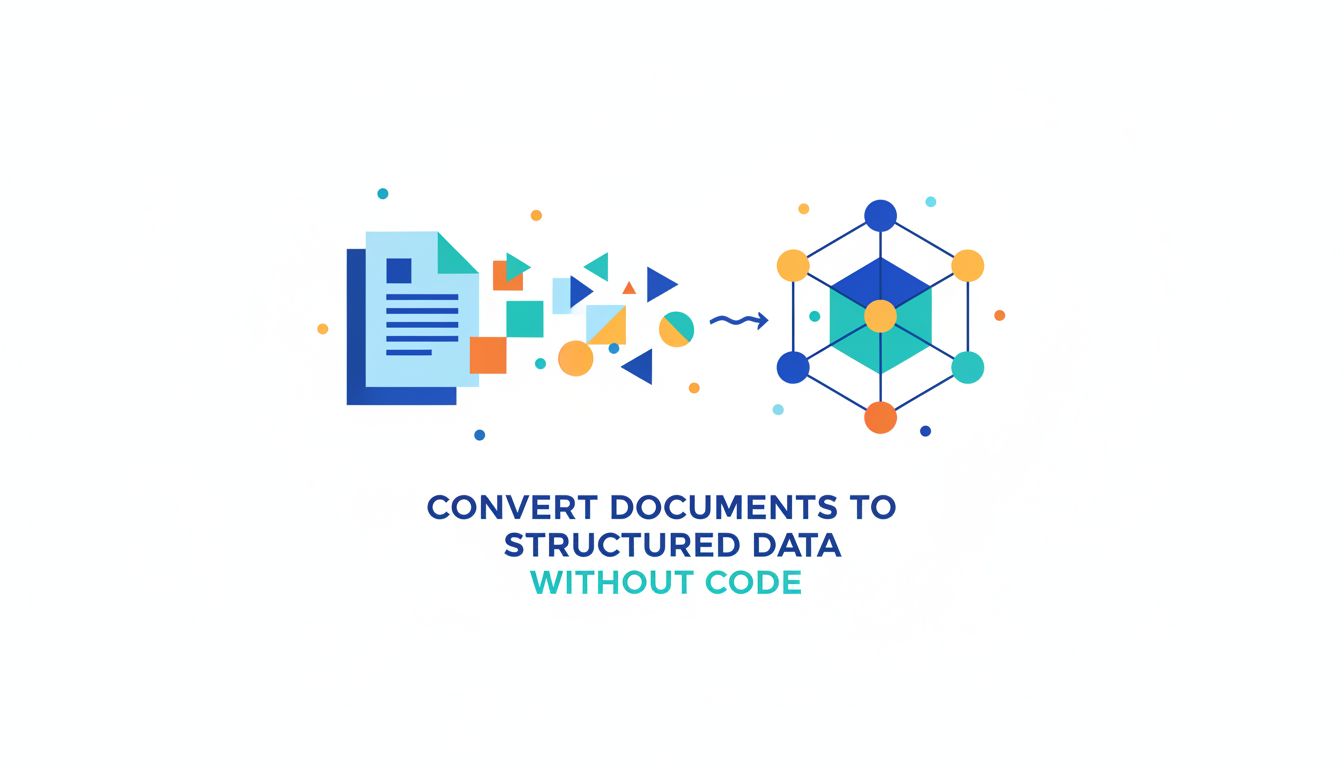
People often talk about “extracting data from PDFs” as if it is a single step. In reality, to convert documents to structured data is to go through a layered transformation. You start with pixels or text shaped for human reading. You end with something a database or an API would be happy to consume. The interesting work lies in how you bridge that gap in ways that hold up as formats change and volume grows.
At a conceptual level, this means turning appearance into meaning. A PDF might show a bold number in the top right corner that a human immediately recognizes as the total amount due. To your automation, it is just text sitting at a coordinate on a page. The transformation you care about is “this number is the invoice total, in this currency, for this customer.” That is a semantic shift, not just a text extraction. When you understand this, you can design your flows to respect the difference between raw text and structured fields.
From pixels and paragraphs to fields and records
Most documents go through a few distinct stages as you move from raw file to structured dataset. If your source is a scan or a photo, the first step is OCR. Optical character recognition turns pixels into characters. A PDF that was originally generated from a digital source might already contain selectable text, which saves a step, but many real world workflows involve images and scans from phones, copiers, or fax conversions.
Once you have text, the next level is layout understanding. A paragraph in a contract, a table of line items, or a header block on an invoice all carry structure that is not obvious in a plain text stream. Tools like PDF Vector and modern document AI APIs help preserve this structure by returning blocks, lines, tables, and their positions. That information is what allows you to say “these values belong in the same row” or “this bold label is attached to the field that follows.”
The final stage is field mapping. You take the elements you have identified in the document and assign them to named fields in a schema. “Invoice number,” “Due date,” “Customer name,” “Line item amount,” and so on. This is where your workflow starts to look like any other integration. You are no longer dealing with a PDF. You are dealing with a record that can be inserted into a database, used to create a CRM object, or fed into conditional logic in your automation tool. The journey from pixels and paragraphs to fields and records is where the real value lives.
Common document types and how they map to data models
Different document types tend to map naturally to different data models. Invoices and receipts are usually a good starting point because their structure is predictable. Most contain a header section with vendor information, customer details, dates, and an identifier. They also carry a line items table, which maps nicely to a parent child model in your data store. The invoice becomes a record, and each line item becomes a related record with quantity, description, unit price, and tax.
Contracts and agreements tend to map less cleanly, but you can still separate them into a core set of structured fields plus a body of unstructured text. The structured part covers things like effective date, renewal date, parties involved, addresses, jurisdiction, and key numeric values such as fees or caps. The body of the contract can then live as a reference blob, while the structured fields drive automation that manages renewals, reminders, and approvals.
Forms and intake documents are often the easiest to map. Whether they are customer onboarding forms, job applications, or support request templates, they typically align with an entity you already manage in your systems. A customer form maps to a contact or account record. A job application maps to a candidate record. The main work is decoding layout quirks like checkbox groups or multi line text fields. Once that is done, you have a straightforward mapping from document fields to app fields in tools like HubSpot, Airtable, or Salesforce.
Precision vs. recall: how accurate is “good enough” for automation?
When people consider automating document extraction, they often fixate on accuracy. They imagine that anything less than 100 percent precision will break their workflows. In practice, automation does not need perfection to be useful. It needs predictable behavior and a clear strategy for handling uncertainty. This is where concepts like precision and recall become practical levers rather than academic metrics.
Precision measures how often extracted values are correct when the system claims to have found something. Recall measures how many of the relevant values the system managed to find at all. For a no code workflow, the right balance depends on the consequences of mistakes. If you are extracting shipping addresses, a wrong field might cause real operational issues, so you bias toward high precision, even if it means some records fall back to manual review. If you are classifying support ticket topics from documents, you might accept lower precision in exchange for higher recall and more coverage.
The key is to define what “good enough” means for each document type and each field. You might accept automated extraction for invoice totals once they reach 98 percent precision, while still requiring human review for payment terms until you are satisfied with performance. Modern AI powered tools, including services like PDF Vector and document parsing APIs, can often return confidence scores for each field. You can wire those scores into n8n, Make, or Zapier to decide when to trust the result, when to request a quick human check, and when to flag a document as an exception that should never auto proceed.
Core building blocks: how no code tools see and shape document data
Once you view documents as sources of structured data, no code platforms start to look very familiar again. n8n, Make, and Zapier live in a world of JSON payloads moving through steps that transform, filter, and route them. The challenge is how to connect the unstructured edge of your workflow, where PDFs and images appear, to that tidy JSON interior. To do that systematically, it helps to think in terms of three stages.
At a high level, document workflows go through capture, parse, and normalize stages. Each stage has a different job and a different set of tools that fit naturally into your automation stack. Treating these as separate concerns keeps your flows maintainable as volumes grow and document formats drift. You can swap out an OCR provider, update a parsing template, or adjust a normalization rule without rewriting everything.
Capture, parse, normalize: the three stages of document data
Capture is how documents enter your system. In no code platforms, this usually looks like triggers and file connectors. A new email attachment in Gmail, a file uploaded to Google Drive, a Dropbox folder where vendors drop invoices, or a webhook that receives PDFs from a frontend form. At the capture stage, your goal is not to understand the document. You just want to store it consistently, tag it with metadata like source and time, and pass it into the next stage with a clear identifier.
Parse is where you turn the raw file into machine readable content. This may involve OCR for images, text extraction for digital PDFs, and structure recognition for tables and form fields. This is also where tools like PDF Vector or specialized parsing APIs come into play. They accept a file, sometimes plus a template or prompt, and return a structured representation of what is inside. The output might be JSON that already looks like your target schema, or it might be a more generic structure that you still need to interpret.
Normalize is where you convert parsed content into the exact shape your downstream tools expect. You clean up dates into a standard format, convert currencies, map labels like “Total due” or “Amount payable” into a common total_amount field, and enforce your own validation rules. This is where n8n’s function nodes, Make’s data transformers, or Zapier’s Formatter steps shine. Once normalization is complete, your document data is ready to behave like any other record moving through your automations.
Where OCR, parsing APIs, and AI fit into your n8n/Make/Zapier flows
OCR and parsing are often treated as magic boxes, but in no code workflows they are just steps in a chain. In n8n, you might have a trigger that receives a PDF, a node that uploads it to a service like PDF Vector or a document AI API, and then a node that receives the parsed JSON. In Make, you might chain modules so that a file from Google Drive gets sent to an OCR module, then passed into a parser, and finally into a mapper that connects fields to your CRM. Zapier users often rely on webhooks or app integrations that expose these capabilities as actions.
Artificial intelligence enters at a few levels. Traditional OCR is mostly about turning pixels into text, with minimal understanding. Newer AI models can infer structure, understand labels even when they vary slightly, and handle layouts that defeat rule based parsers. For example, an AI extraction service can learn that “Invoice amount,” “Total,” and “Amount payable” are all variations of the same concept, without you writing brittle text matching rules. In your no code flow, the AI becomes a specialized step that you call when you need this kind of interpretation.
The trick is to keep the AI step isolated. Rather than scattering AI prompts or API calls throughout your automations, treat them as dedicated parsing modules. Feed them files and context, get back structured candidates and confidence scores, then handle everything else with the more predictable logic of your no code platform. That separation lets you update models, adjust prompts, or switch providers without redoing how your data moves through the rest of the system.
Designing schemas first so your automations do not crumble later
It is tempting to start by asking “what can I extract from this document” instead of “what data model do I need for my business.” The more sustainable approach is to define your schema first. Decide what fields matter for each document type, how they should be named, what formats they should use, and how they relate to existing entities in your stack. Once you have that schema, you can evaluate parsing tools by how well they can fill those fields, not by how many random bits of text they can pull out.
A clear schema also keeps your no code flows from becoming fragile. If every new vendor invoice triggers a unique set of field names and mapping rules, your automations will buckle under the weight of exceptions. On the other hand, if you commit to a standard like vendor_name, invoice_number, issue_date, due_date, currency, and total_amount, you can treat differences in document layouts as parsing concerns, not as reasons to redesign your entire workflow. Schema first thinking turns messy reality into a bounded problem.
Practically, this can mean creating a simple internal data dictionary. List the document types you handle, specify the fields you care about for each, and define acceptable formats. For some teams, this lives in a shared doc or an Airtable base. For others, it becomes part of their automation configuration, reflected in how they name variables and design steps. However you capture it, having an explicit schema is what keeps your document workflows from slowly collapsing under the weight of “just this one more exception.”
Designing robust document workflows in n8n, Make, and Zapier
Once you understand the data journey and have a schema, the fun part begins. You get to design workflows that treat document handling as a first class automation problem. The goal is not just to make something that works in a demo. You want flows that can handle real world noise, grow with your volume, and remain understandable to the next person who inherits them.
The three main concerns at this stage are how you trigger on new documents without chaos, how you validate and clean what you extract, and how you handle exceptions without jamming the entire pipeline. Each of these plays to the strengths of no code platforms, which excel at orchestrating branching logic, retries, and human in the loop steps.
Triggering on new documents without creating chaos
In most setups, new documents arrive through multiple channels. A vendor emails an invoice, a customer signs a contract through an e signature tool, a partner uploads a CSV export, or a web form collects PDFs as attachments. If you wire up a separate automation for every channel without a plan, you end up with a tangle of similar but slightly different flows. That makes maintenance painful and increases the risk of duplicated work.
A more robust pattern is to centralize your document intake. For example, configure all sources to drop files into a specific Google Drive or S3 bucket with meaningful folder structures or tags, then use a single trigger in n8n or Make that watches those locations. From there, branch on metadata like folder, filename pattern, or originating app to determine what parser and schema to apply. In Zapier, you might route all incoming attachments through a webhook that normalizes them into a common “document received” event before passing them downstream.
This approach gives you one place to implement rate limiting, deduplication, and basic sanity checks. You can ensure that each physical file results in a single logical “document” event, rather than multiple flows stepping on each other. It also means that when you add a new source, you are connecting it to an existing intake pattern instead of reinventing the whole stack for the new channel.
Validating and cleaning extracted fields before they hit your CRM
Raw extraction almost always needs cleaning. Dates might arrive in different formats, amounts might include currency symbols or thousands separators, and some fields will occasionally be blank or misread. If you simply pipe parsed output directly into your CRM or ERP, you will pollute your most important systems of record with bad data. The cost of cleaning that up later is far higher than being a little fussy up front.
In n8n, you can use function nodes or dedicated validation nodes to enforce rules like “every invoice must have a due date,” “the total amount must be numeric and greater than zero,” or “currency must be one of a specific set.” Make offers similar capabilities with its data transformation modules. In Zapier, Formatters and simple Code steps handle much of this logic. You can also cross check against existing systems, for instance, verifying that a vendor name from a document actually exists as a record in your accounting tool before creating an invoice.
Another powerful technique is to store both the raw extracted value and the cleaned version. For example, you might save raw_due_date as a string and due_date as a normalized ISO date. This gives you an audit trail and makes debugging easier when something looks off. It also lets you refine your normalization logic over time without losing sight of what the parser originally saw in the document.
Handling exceptions and edge cases without blocking the whole flow
No matter how good your extraction and validation are, some documents will fall outside the patterns you expect. A vendor might redesign their invoice layout, a client might upload a corrupted file, or OCR might fail on a low quality scan. If your workflow assumes perfect input, any of these events can cause the entire process to stall or crash. The goal is to design for imperfection from the start.
This is where exception handling and human in the loop steps matter. In n8n, you can route failed validations to a branch that sends a Slack message or email to a reviewer, along with a link to the original document and the partial data that was extracted. Make can log these events into a dedicated “exceptions” table in Airtable or Google Sheets so that someone can review and correct them later. Zapier users often set up a secondary Zap that handles error tagged entries and forwards them to the right person.
The key is to ensure that exceptions are visible but do not block other documents from flowing through. Treat them as items in a review queue, not as reasons to halt the pipeline. Over time, you will notice patterns in the exceptions and can translate those into new parsing rules, updated templates, or adjusted schemas. Your workflow becomes a living system that learns from its edge cases instead of being derailed by them.
Making your automations trustworthy over time
The first working version of a document workflow feels like a milestone, and it is, but trust comes later. To rely on automation for real business processes, you need to know that it will behave predictably next month and next year, even as document templates change and volumes grow. That trust does not come from clever prompt engineering or a single AI integration. It comes from disciplined habits around versioning, monitoring, and gradual maturation.
If you have ever inherited a brittle Zap that no one dares to touch because “it just works,” you know what happens when those habits are missing. Document workflows amplify that risk because the inputs are so variable. The good news is that no code tools are flexible enough to support better practices without requiring you to become a full time engineer.
Versioning templates and extraction rules as documents change
Vendors change invoice formats. Legal teams update contract templates. Marketing decides the onboarding form needs more fields. All of this is normal, but it wreaks havoc if your parsing logic is tightly coupled to a specific visual layout. The solution is to version your extraction templates and rules, just as you would version an API or a database schema.
In practice, this can be as simple as keeping a version field alongside each document type in your automations. When you detect a new layout, you create a “Template v2,” test it thoroughly, and only then start routing documents that match the new pattern through it. You leave “Template v1” in place for older documents to avoid breaking historical processing. Tools like PDF Vector and modern parsing APIs often support multiple templates per document type, which you can select based on cues like logo, header text, or structural markers.
Within n8n, Make, or Zapier, you can reflect this versioning by modularizing your parsing steps. Instead of one giant flow that tries to handle every variant, have separate subflows or modules, each responsible for a specific version. The main route handles detection and dispatch. That way, when a vendor introduces “Template v3,” you are adding a new lane rather than tearing up the existing road.
Monitoring extraction quality with simple feedback loops
Trustworthy automation is observed automation. You do not need a full observability stack to keep an eye on document extraction quality, but you do need some feedback loops. At a minimum, track how many documents are processed successfully, how many hit validation errors, and which fields are most often corrected during manual review. Even a simple dashboard in Airtable or Google Sheets can reveal trends.
In many setups, a weekly or monthly summary sent via email or Slack works well. Your automation can aggregate statistics on error rates, average processing time, and the most common exception reasons. If you use AI based parsers that return confidence scores, monitor those over time as well. A sudden drop in confidence for a particular field might signal that a major template change has occurred upstream.
You can also close the loop by using corrections from humans to improve your parsing. For example, when someone edits an extracted value in a review interface, your system can log the original, the correction, and the context. While you might not train models yourself, this feedback can inform how you configure your parsing tool, which templates you prioritize, or which fields you decide to keep under manual review for a while longer.
When to move from scrappy experiments to a more formal pipeline
Many successful document workflows start as scrappy prototypes. A single Zap that parses one recurring invoice, a quick n8n flow that extracts a couple of fields from a standard contract, or a Make scenario built over a weekend to handle an internal form. That is a healthy way to learn what is possible and to build confidence. However, there comes a point where the ad hoc approach starts to strain under real usage.
Signals that it is time to formalize your pipeline include growing document volume, increasing diversity of templates, and more than one person depending on the workflow. You may notice that changes feel risky, that documentation is thin, or that debugging has become painful. At that point, it is worth consolidating your flows, documenting schemas, and introducing simple practices like staging environments or test documents.
You do not need to abandon no code tools to make this leap. Instead, use their strengths more deliberately. Split your flows into intake, parsing, and normalization modules. Keep schemas in a shared reference. Use version tags in your logic. Consider dedicated tools like PDF Vector when you need more robust extraction capabilities without writing custom code. The goal is not to turn yourself into a software engineer, but to borrow just enough discipline so your document automations can carry real business load without constant fear of breakage.
Closing thoughts
For builders working in n8n, Make, Zapier, and similar platforms, documents are often the last stubborn island of manual work. Once you see that the real challenge is not the PDF itself, but the journey from unstructured presentation to reliable structured data, new possibilities open up. You can model documents the way you model APIs, treat extraction as a first class integration step, and build flows that learn from exceptions instead of drowning in them.
The next logical step is to pick one document type that hurts today and map it all the way through this lens. Define the fields you actually care about, choose a parsing tool that fits your stack, and wire it into a simple intake and validation flow. As that first pipeline stabilizes, you will have a living template for how to bring more and more documents into the same structured, automatable world.